TL;DR: Endpoint security solutions protect laptops, servers, and mobile devices from attack. Best for execution control: Airlock Digital and ThreatLocker. Best for broad prevention: Sophos Endpoint. Best for AI-driven detection and response: CrowdStrike.
What Are Endpoint Security Solutions?
Endpoint security solutions protect end-user devices like laptops, desktops, mobile phones, and servers from malicious cyber threats. These endpoints are often targeted by cybercriminals as entry points for attacks, making their security crucial.
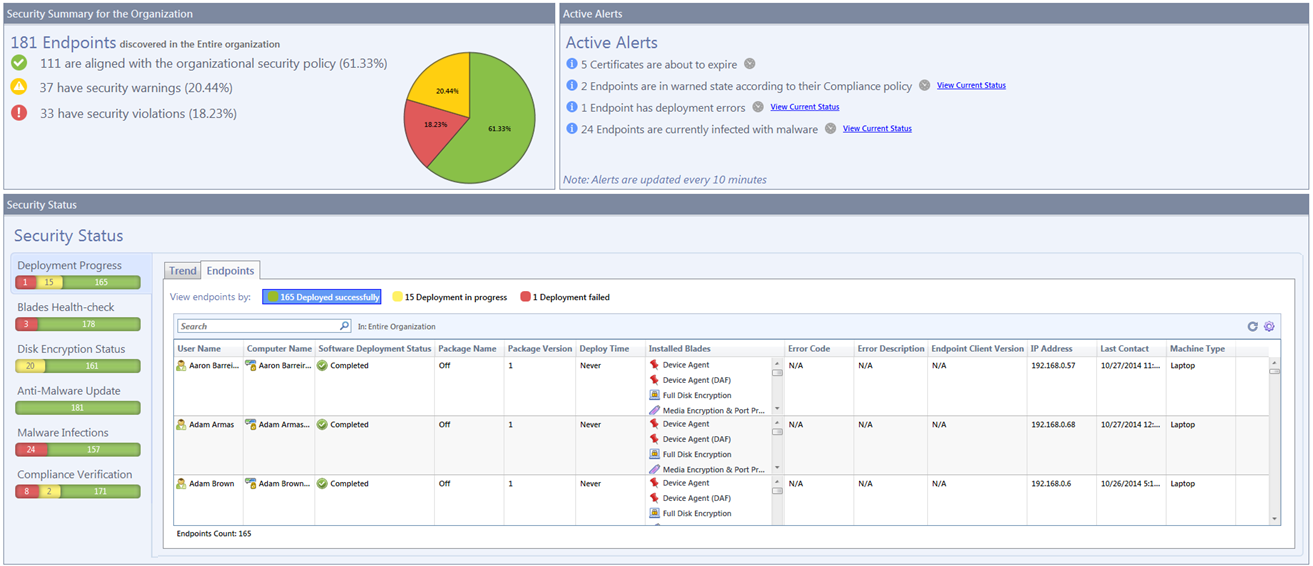
Endpoint security involves deploying software agents or services on each device, which monitor for threats, enforce security policies, and report events back to a centralized management system. The main goal is to prevent unauthorized access, malware infections, and data breaches originating from these devices.
Core components:
- Application control and allowlisting solutions: Restrict endpoints to running only approved applications, scripts, and executables to prevent unauthorized code execution.
- Endpoint Protection Platforms: Acts as the first line of defense, using antivirus, firewalls, and encryption to block known threats at the entry point.
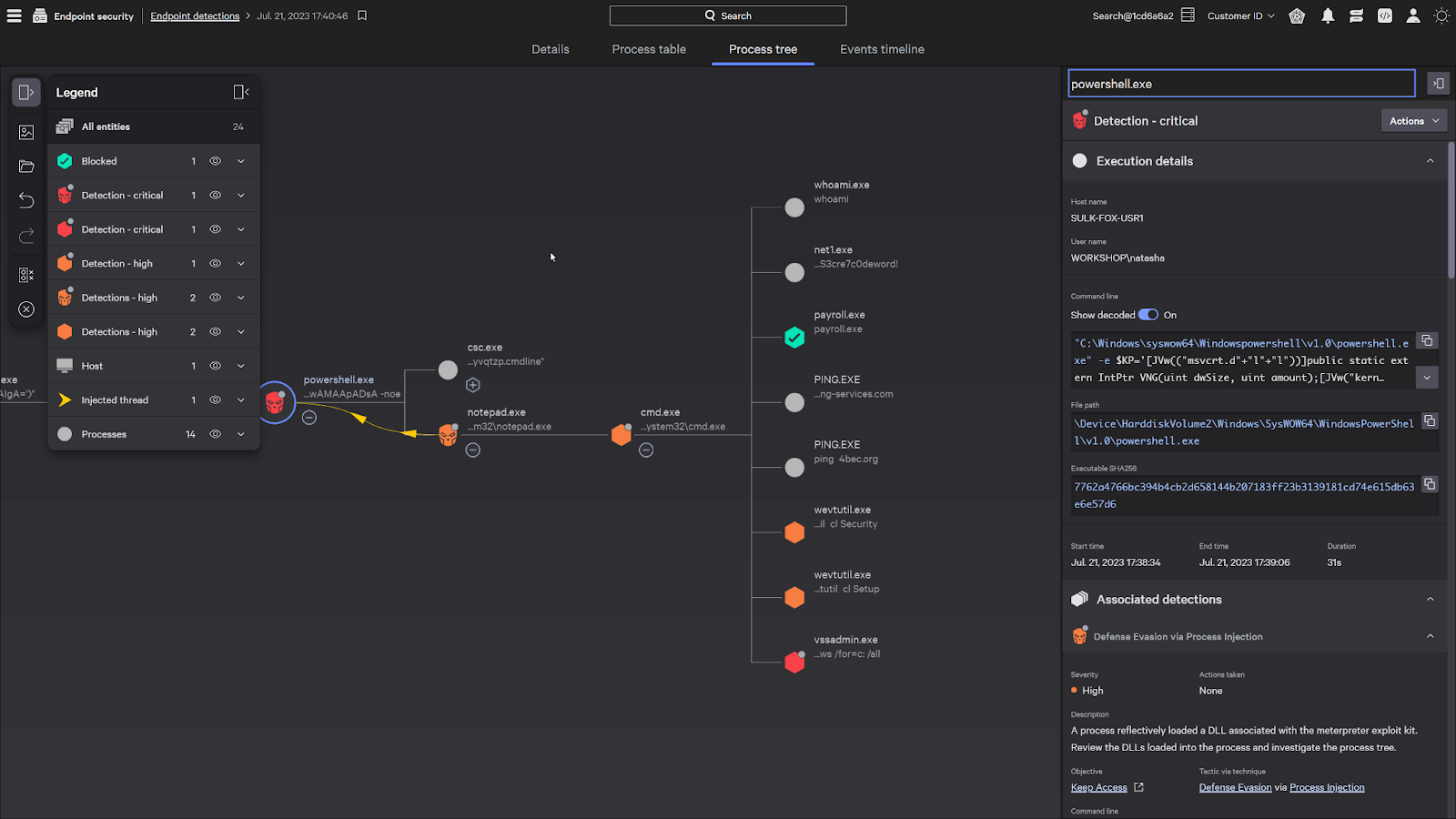
- Endpoint Detection and Response: Continuously monitors device behavior to detect, investigate, and remediate advanced threats or lateral movement in real time.
- Extended Detection and Response: Extends EDR by correlating data across endpoints, networks, cloud environments, and email to stop complex attacks.
- Managed Detection and Response: Provides 24/7 threat monitoring, investigation, and incident response through a dedicated team of security analysts.
In this article:
Endpoint Security Solutions at a Glance
The table below summarizes the key differences between the solutions covered in this guide, including who each one suits and where buyers report friction. We explore each solution in more detail below.
| Category |
Solution |
Best For |
Key Strengths |
Things to Consider |
| Application Control and Allowlisting |
Airlock Digital |
Enterprises enforcing Deny by Default execution control at scale |
Granular trust rules, OTP exceptions, cross-platform coverage |
Fewer integrations than broad platforms; ongoing policy tuning |
| Application Control and Allowlisting |
ThreatLocker Allowlisting |
MSPs and lean IT teams needing fast Deny by Default rollout |
Learning Mode cataloging, 60-second approvals, app store |
Approval requests add user friction; management time |
| Application Control and Allowlisting |
Carbon Black App Control |
Locking down servers, fixed-function devices, and EOL systems |
Trust-based approval, file integrity monitoring, device control |
Complex setup; reporting depth; post-acquisition roadmap |
| Application Control and Allowlisting |
Ivanti Application Control |
Windows estates removing admin rights while controlling execution |
Trusted Ownership model, privilege management, self-elevation |
Windows only; reporting needs separate Ivanti tooling |
| Endpoint Protection Platforms |
Sophos Endpoint |
Teams wanting default-on prevention with minimal tuning |
60+ exploit mitigations, CryptoGuard rollback, single agent |
Resource use during scans; cloud-only management |
| Endpoint Protection Platforms |
Bitdefender GravityZone Business Security Enterprise |
Organizations wanting prevention-led EPP with EDR in one agent |
Cross-endpoint incident correlation, ransomware mitigation |
Resource growth over time; dashboard flexibility |
| Endpoint Protection Platforms |
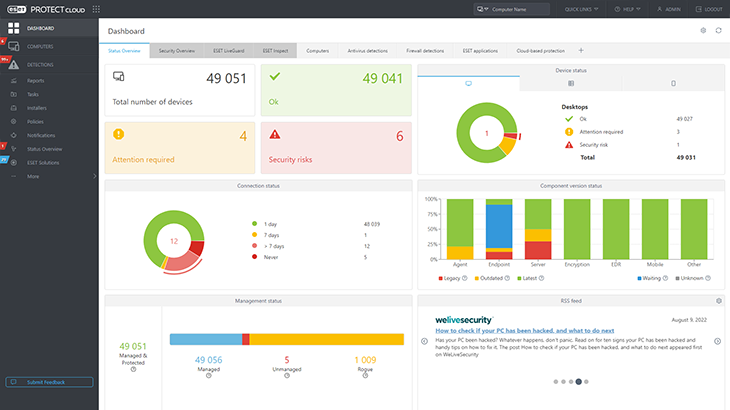
ESET PROTECT Platform |
Cross-platform endpoint protection with low performance impact |
Multilayered detection, ransomware rollback, unified console |
Console agent connectivity; Mac feature parity |
| Endpoint Protection Platforms |
Symantec Endpoint Security Complete |
Large estates needing one agent across desktop, server, mobile |
Adaptive Protection, Active Directory defense, incident prediction |
Console usability; resource use during scans |
| Endpoint Protection Platforms |
Check Point Endpoint Security |
Consolidating EPP, EDR, and XDR in one client and console |
ThreatCloud AI engines, Zero-Phishing, DLP, patch management |
Resource load on older devices; setup and docs |
| Endpoint Protection Platforms |
TrendAI Vision One Endpoint Security |
Diverse estates including servers, IoT, and legacy systems |
Native EDR and XDR, broad OS coverage, automated response |
Console navigation; CPU load during scanning |
| Detection and Response Platforms |
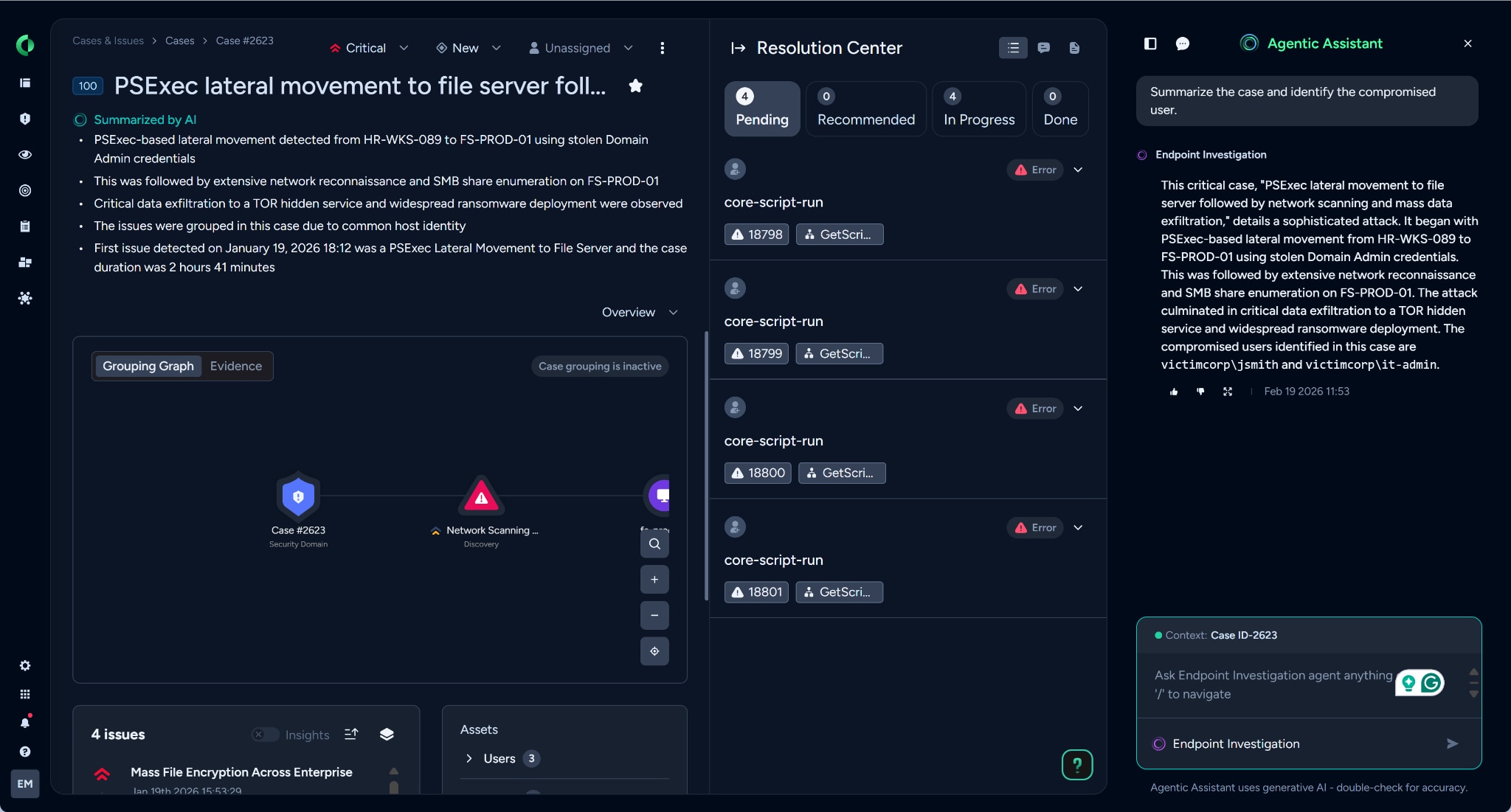
CrowdStrike Endpoint Security |
Teams wanting one lightweight sensor across all major OSes |
Single sensor, agentic AI triage, cross-domain visibility |
Cost; no native application or web control |
| Detection and Response Platforms |
SentinelOne Singularity Endpoint |
Autonomous EDR across online, offline, and air-gapped estates |
Behavioral AI, one-click rollback, identity correlation |
False positives; dashboard complexity for new users |
| Detection and Response Platforms |
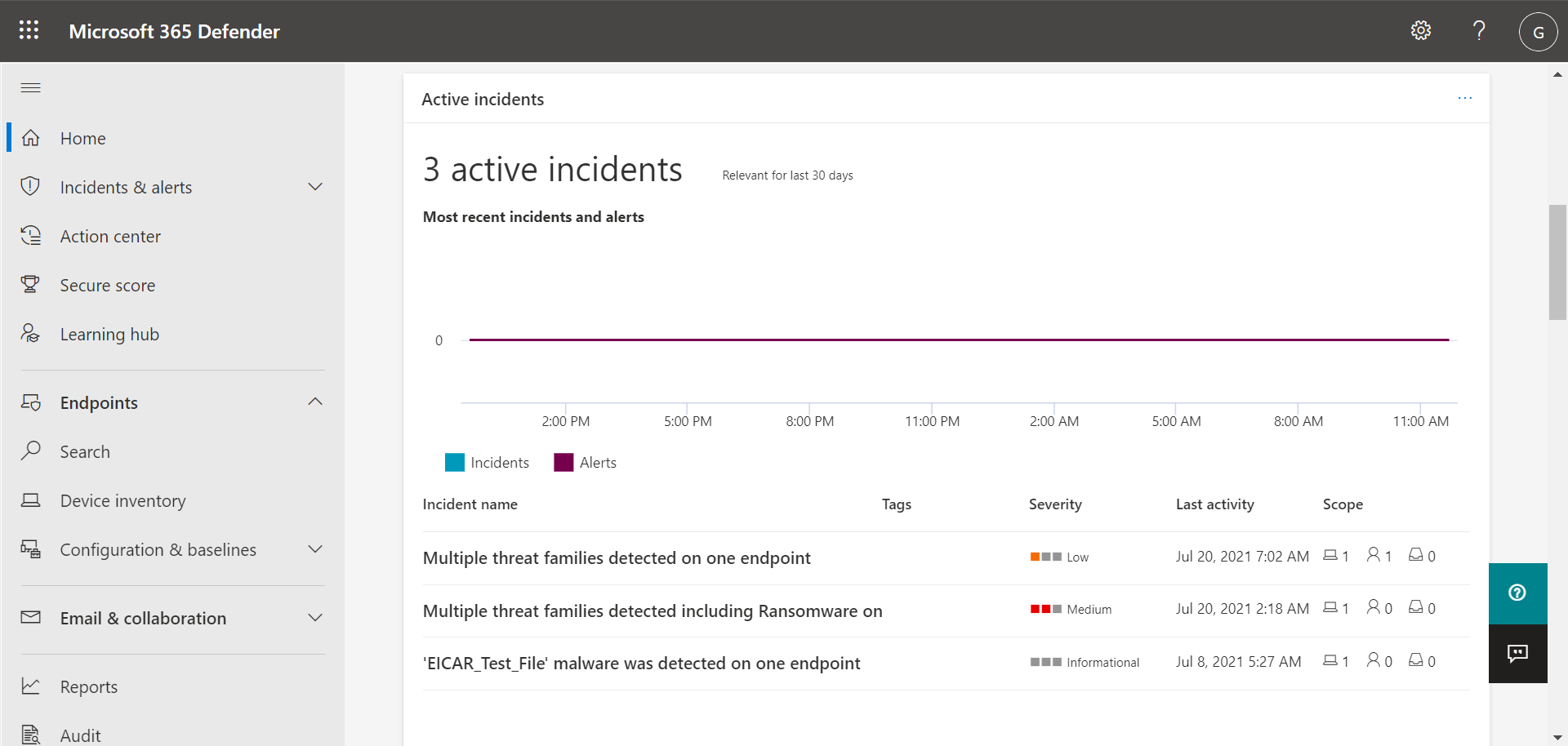
Microsoft Defender for Endpoint |
Microsoft-centric estates needing multiplatform EDR |
Automatic attack disruption, exposure management, Intune ties |
Support escalation speed; features gated to P2 |
| Detection and Response Platforms |
Cortex XDR |
SOCs standardizing endpoint, network, cloud, identity telemetry |
Prevention modules, root cause analysis, single data lake |
Cost; false-positive tuning; OS feature parity |
| Detection and Response Platforms |
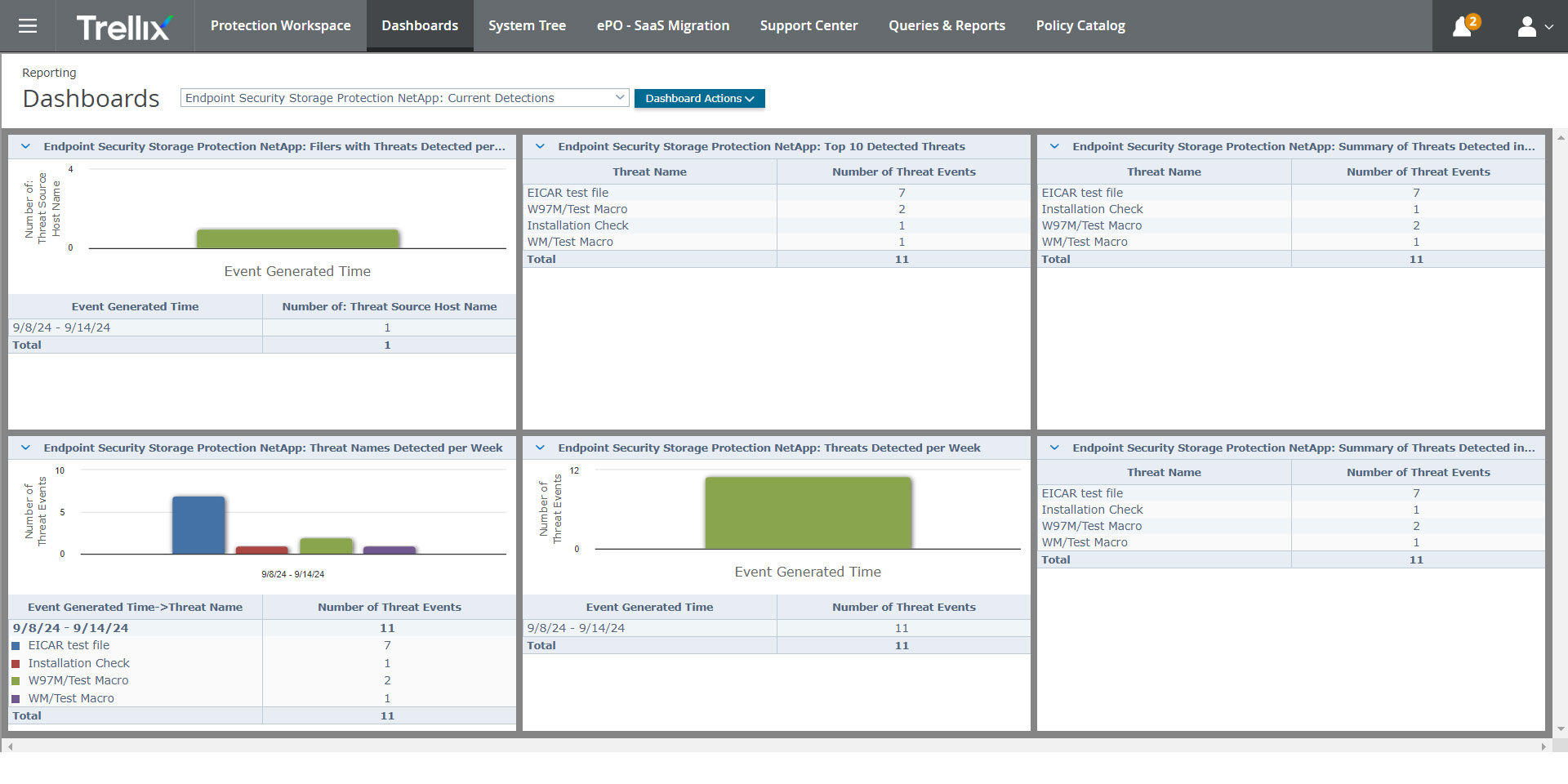
Trellix Endpoint Security |
Hybrid and disconnected environments managed from one console |
Single agent, ePO management, application and change control |
Resource use; support responsiveness; policy complexity |
Why Organizations Need Endpoint Security
Endpoints connect users to business systems, cloud services, and sensitive data. Each device can become an entry point for attackers, especially when employees work remotely or use personal devices. Endpoint security helps organizations reduce this risk by monitoring devices, blocking threats, and enforcing consistent security controls:
- Prevent malware infections: Endpoint security detects and blocks ransomware, spyware, trojans, and other malicious software before they can spread.
- Protect sensitive data: Security controls help prevent unauthorized access, data theft, and accidental exposure of confidential information.
- Secure remote and hybrid work: Devices outside the corporate network need protection because they may connect through home networks, public Wi-Fi, or unmanaged environments.
- Detect suspicious behavior: Behavioral monitoring can identify unusual activity, such as unauthorized file encryption, privilege escalation, or unexpected system changes.
- Enforce security policies: Organizations can apply rules for device configuration, software use, removable media, and access permissions from a central console.
- Improve incident response: Endpoint tools provide alerts, activity records, and investigation data that help security teams contain and resolve incidents faster.
- Support regulatory compliance: Endpoint security helps organizations meet requirements related to access control, malware protection, monitoring, and data protection.
- Reduce the attack surface: Application control, patch management, and device restrictions limit the number of weaknesses attackers can exploit.
Types of Endpoint Security Solutions
1. Application Control and Allowlisting Solutions
Application control and allowlisting solutions focus on restricting which applications can run on an endpoint. By maintaining a list of approved software, these solutions prevent unauthorized or malicious applications from executing. Because only pre-approved programs are allowed to run, this approach is highly effective at blocking:
- Ransomware
- Zero-day threats
- Unwanted software installations
Application allowlisting helps reduce the attack surface by minimizing the risk of unapproved code execution. These solutions also provide detailed visibility into application usage across the organization. Administrators can monitor which applications are being used, enforce compliance with licensing agreements, and quickly respond to unauthorized activity. Application control is particularly valuable in environments with strict regulatory requirements or where operational stability is critical, such as industrial control systems or healthcare networks.
Related content: Read our guide to application control software
Endpoint Protection Platforms (EPPs) are comprehensive security suites that combine multiple protective technologies into a single solution. They typically include antivirus, anti-malware, firewall, device control, and sometimes data loss prevention features. EPPs are designed to provide broad protection against common threats such as:
- Viruses
- Worms
- Spyware
- Basic malware attacks
They use signature-based detection, heuristics, and behavioral monitoring to identify and block malicious activity on endpoints. Modern EPPs are evolving to include cloud-based management, threat intelligence integration, and more advanced detection capabilities. They provide centralized visibility and control, allowing security teams to manage security policies, monitor incidents, and deploy updates efficiently across the organization.
Related content: Read our article about browser hijacking and how to prevent it
3. Endpoint Detection and Response Solutions
Endpoint Detection and Response (EDR) solutions are specialized tools designed to detect, investigate, and respond to advanced threats that bypass traditional defenses. EDR platforms collect and analyze endpoint data in real time, looking for signs of:
- Suspicious behavior
- Lateral movement
- Fileless attacks
When a potential threat is identified, EDR provides detailed forensics, alerting security teams and enabling rapid investigation. In addition to detection, EDR solutions offer automated and manual response capabilities. Security teams can isolate compromised devices, terminate malicious processes, and remediate threats directly from the EDR console. EDR is especially valuable for organizations facing targeted attacks, as it provides deep visibility into endpoint activity and accelerates the incident response process.
Extended Detection and Response (XDR) platforms take the capabilities of EDR further by integrating data and analytics across multiple security layers, including endpoints, networks, servers, and cloud environments. XDR provides a unified view of security events, correlating signals from different sources to identify complex, multi-stage attacks. This holistic approach helps organizations detect threats that might go unnoticed when monitoring endpoints in isolation.
XDR solutions enhance security operations by automating workflows across the entire IT environment, including:
- Threat detection
- Investigation
- Response
By consolidating data and providing context, XDR reduces alert fatigue and enables faster, more accurate threat remediation. Organizations benefit from improved threat hunting, reduced dwell time, and a simplified security stack.
5. Managed Detection and Response Services
Managed Detection and Response (MDR) services offer organizations access to expert security teams that monitor, detect, and respond to threats on their behalf. MDR providers:
- Deploy endpoint security tools
- Collect telemetry
- Use advanced analytics to identify malicious activity
When a threat is detected, the MDR team investigates, contains, and helps remediate the incident, often providing 24/7 coverage. MDR services are valuable for organizations with limited internal security resources or expertise. By outsourcing threat monitoring and response to specialists, organizations can improve their security posture without building a large in-house team.
Core Capabilities of Endpoint Security Solutions
Malware and Ransomware Protection
Malware and ransomware protection tools use a combination of signature-based scanning, heuristic analysis, and behavioral monitoring to identify and block known and unknown malware. Advanced solutions also leverage machine learning algorithms to detect emerging threats that traditional methods may miss. Effective malware protection reduces the risk of data theft, financial loss, and business disruption caused by malicious software.
Ransomware, in particular, poses a significant threat to organizations, encrypting critical files and demanding payment for their release. Endpoint security solutions are designed to detect ransomware behaviors, such as unauthorized file encryption or suspicious process activity, and stop attacks before they can cause damage. Automated rollback features can restore affected files, minimizing the impact of an incident.
Application Allowlisting and Execution Control
Application allowlisting and execution control give organizations granular control over which applications are allowed to run on endpoints. By creating and enforcing allowlists, these solutions block unauthorized or unknown software from executing, reducing the risk of malware infections and the exploitation of untrusted code. This proactive approach is especially effective against zero-day threats and targeted attacks, where traditional signature-based defenses may fail.
Execution control policies can be tailored to user groups, devices, or business needs, providing flexibility while maintaining strong security. Administrators can quickly respond to new threats by updating allowlists or blocking newly discovered malicious applications. Combined with real-time monitoring and alerting, application allowlisting helps organizations enforce strict security standards and maintain compliance with regulatory requirements.
Software Inventory and Endpoint Visibility
Endpoint security solutions continuously scan devices to identify installed applications, operating system versions, and configuration details. This visibility enables organizations to detect unauthorized software, outdated applications, or misconfigurations that could introduce vulnerabilities. Maintaining an up-to-date inventory is also essential for compliance audits and software license management.
With detailed endpoint visibility, security teams can quickly assess their exposure to emerging threats and prioritize remediation efforts. Centralized dashboards provide real-time insights into the security posture of all endpoints, supporting rapid decision-making and incident response. By understanding the software landscape, organizations can enforce policies, reduce attack surfaces, and ensure only approved applications are present on their devices.
Vulnerability and Patch Management
Vulnerability and patch management capabilities allow organizations to identify, prioritize, and remediate security flaws on endpoints. Endpoint security solutions regularly scan devices for missing patches, outdated software, and known vulnerabilities. They provide actionable reports and automated patch deployment features, ensuring that critical updates are applied promptly across all endpoints. This reduces the window of exposure to exploits targeting unpatched systems.
Effective vulnerability management goes beyond simple patching. Advanced solutions assess the risk of each vulnerability, taking into account factors such as exploitability and asset criticality. By prioritizing remediation efforts, organizations can focus resources on the most significant threats. Automated workflows help simplify patch management, reducing manual effort and minimizing the risk of human error.
Data Loss Prevention
Data Loss Prevention (DLP) capabilities help prevent unauthorized access, sharing, or exfiltration of sensitive information from endpoints. DLP solutions monitor data in use, in motion, and at rest, applying policies to block or alert on suspicious activities such as copying files to external drives, uploading data to cloud services, or sending confidential information via email. By enforcing data protection rules, organizations can reduce the risk of accidental or intentional data breaches.
DLP tools often integrate with endpoint security platforms, providing unified policy management and incident reporting. They help organizations comply with data privacy regulations by ensuring sensitive information is handled appropriately. Advanced DLP solutions use content inspection, contextual analysis, and machine learning to identify and classify sensitive data, even when it is embedded in documents or emails. This helps organizations maintain control over their critical assets and reduce the risk of data loss.
Threat Intelligence Integration
Threat intelligence integration allows endpoint security solutions to use information about known threats, attacker techniques, and indicators of compromise (IOCs) from internal and external intelligence sources. This intelligence is continuously updated and used to identify malicious files, IP addresses, domains, hashes, and behaviors associated with active cyber threats. By enriching endpoint telemetry with current threat data, security teams can detect attacks earlier and make more informed response decisions.
Modern endpoint security platforms often integrate with commercial, open-source, and vendor-provided threat intelligence feeds, as well as security information and event management (SIEM) and security orchestration, automation, and response (SOAR) platforms. This integration improves alert accuracy, supports automated threat blocking, and provides additional context during investigations.
Notable Endpoint Security Solutions
How we selected these tools: We shortlisted endpoint security solutions based on execution and application control, malware and ransomware prevention, endpoint visibility and software inventory, detection and response depth, and centralized policy management across operating systems.
Application Control and Allowlisting Solutions
1. Airlock Digital
Best for: Enterprises enforcing Deny by Default execution control at scale
Strengths: Granular trust rules, OTP exceptions, cross-platform coverage
Things to consider: Fewer integrations than broad platforms; ongoing policy tuning
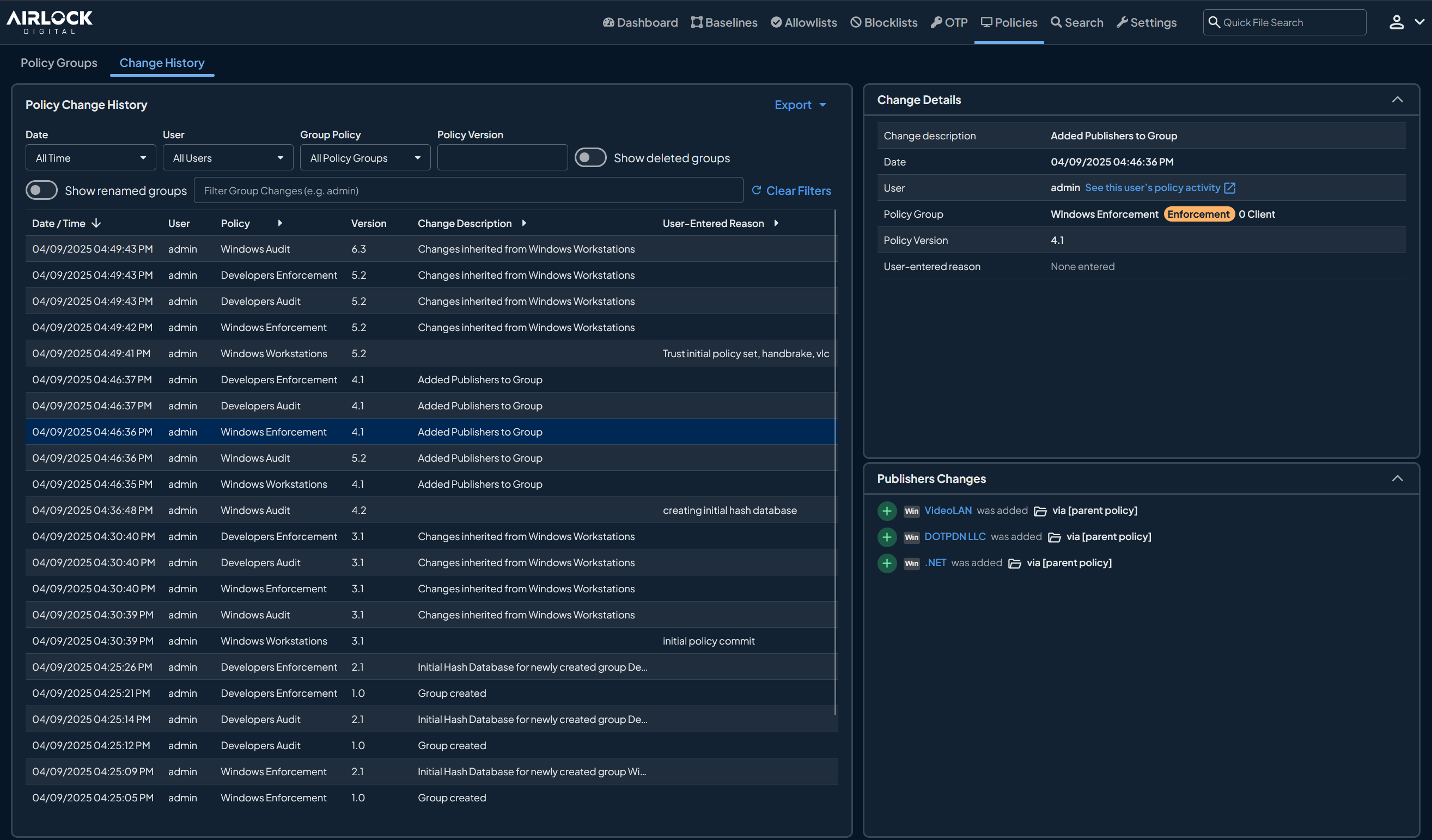
Airlock Digital is an application control solution that decides what software is permitted to run before it executes. Administrators define trusted files at the hash, path, publisher, or parent process level, and anything falling outside those definitions is blocked. Coverage spans Windows, macOS, and Linux, including legacy operating systems and offline or air-gapped environments.
The product is organized around workflows rather than a static catalog of approved software. Real-time execution data feeds policy decisions, exception requests move through central review, and enforcement can be introduced in stages on the way to a full Deny by Default posture. Deployment runs on-premises or in the cloud.
Key features include:
- Granular policy control: Trusted applications are defined at the file, path, publisher, or parent process level, so administrators choose which attribute grants execution rights in each case.
- Broad file coverage: Execution control applies to executables, application libraries, installers, and scripts, not executables alone.
- One-Time Password (OTP) exceptions: Devices can be temporarily excluded from allowlisting through a time-based audit mode, applied through self-service or a service desk workflow, so a blocked file can run without disabling the agent.
- Exception request workflow: Users request a temporary exception from the block notification on the endpoint, and administrators review the context and approve or deny centrally. Blocklists remain in force during an approved session.
- Blocklisting: Pre-defined rules aligned with the MITRE ATT&CK framework and Microsoft recommended block rules can be applied, and administrators can author their own.
- VirusTotal file intelligence: File reputation lookups are integrated into the console and feed allowlisting policy decisions.
- Execution visibility and audit trails: A searchable repository of file metadata records when a file was first seen, where it came from, and how it was executed, supporting compliance audits.
- EDR, SIEM, and identity integrations: The platform connects to CrowdStrike, Jamf, SIEM tools, and Microsoft Entra, and exports platform data to formats including CSV and XML.
Limitations (based on publicly available sources):
- Integration breadth: The integration catalog is narrower than that of broader suites that bundle antivirus, EDR, and network controls in one product.
- Ongoing policy tuning: Environments where software changes frequently need regular policy updates to keep approvals current.
- Initial familiarity: Teams new to application control face a learning curve before allowlist management becomes routine.
Source: Airlock Digital
2. ThreatLocker Allowlisting
Best for: MSPs and lean IT teams needing fast Deny by Default rollout
Strengths: Learning Mode cataloging, 60-second approvals, app store
Things to consider: Approval requests add user friction; management time
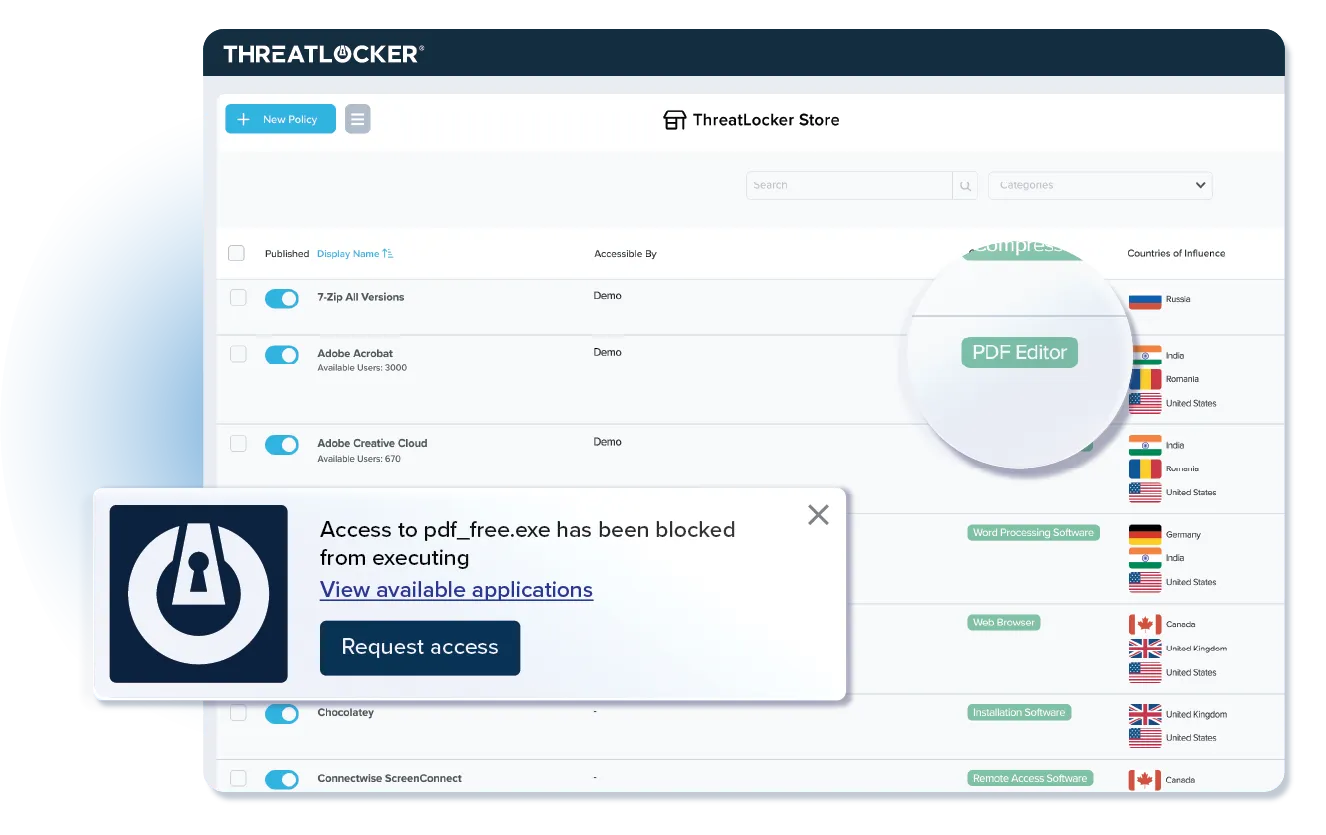
ThreatLocker Allowlisting blocks any application, script, or library that is not on an approved list. The agent starts in Learning Mode, cataloging applications and their dependencies across the environment and generating suggested policies. Administrators then approve what they need with one click, after which unapproved code cannot execute.
Once enforcement is active, users request access to blocked applications through a popup. Internal IT can approve the request, or the vendor's Cyber Hero team responds in about 60 seconds. Allowlisting sits alongside ringfencing, privileged access management, storage control, and other modules in the wider Zero Trust platform.
Key features include:
- Learning Mode cataloging: The agent automatically inventories applications and dependencies, drawing on more than 15,000 pre-built application definitions to recognize software and suggest policies.
- One-click approval: Administrators select the applications they want to permit and approve them in a single action, after which unapproved apps, scripts, and libraries are denied.
- Time-bound policies: Policies can carry expirations, so an application is permitted only within a defined window, such as a network scanning tool on Friday evenings.
- End-user request workflow: Users request new application access from the block popup, and an application store gives them access to trusted apps and alternatives to download and deploy.
- Community execution insight: For an unknown application, the console shows how often it is used, how many environments run it, and whether other administrators allowed or blocked it, drawn from anonymized endpoints, along with threat history and reputation trends.
- Full execution visibility: Administrators see every application, dependency, and update in the environment and control what runs, when, where, and by whom.
- Compliance mapping: Deny by Default execution addresses application control requirements in NIST, CMMC, CIS, and Essential Eight guidance.
Limitations (as reported by users on PeerSpot):
- User approval friction: Reviewers describe frequent user requests to allow applications as an ongoing cost of running in enforcement mode.
- Management time: The volume of time needed to administer the platform is a recurring theme, and some reviewers note that Learning Mode is easy enough to reach that technicians lean on it instead of writing policy manually.
- Reporting depth: Reporting is named as the area most in need of improvement.
- Workflow integration: Reviewers ask for integration with PSA systems so approvals can flow through existing ticketing.
- Platform coverage: Requests include better Apple and mobile device compatibility and a mobile version of the console.
- Cost: Pricing is described as expensive, though reviewers tie that to the breadth of the platform.
Source: ThreatLocker
3. Carbon Black App Control
Best for: Locking down servers, fixed-function devices, and EOL systems
Strengths: Trust-based approval, file integrity monitoring, device control
Things to consider: Complex setup; reporting depth; post-acquisition roadmap
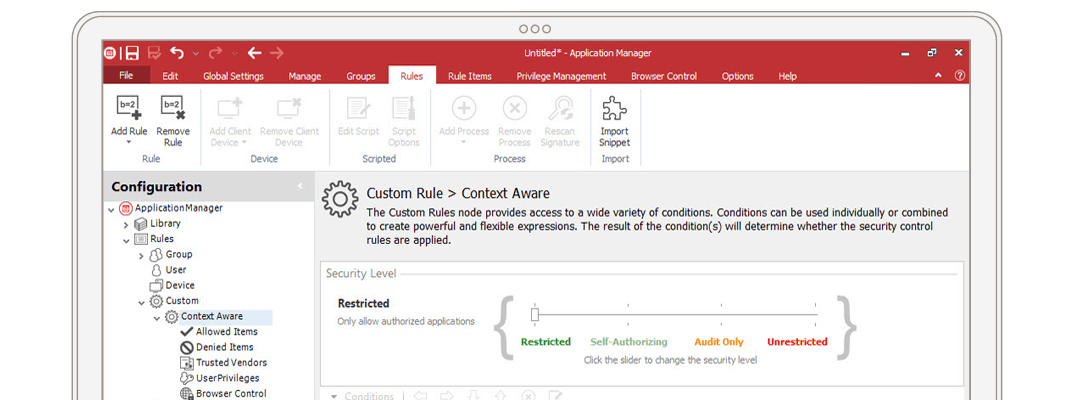
Carbon Black App Control applies a positive security model, permitting only software carrying a known degree of trust and treating unknown software as untrusted until trust is assigned. It protects critical systems on-premises and in private or public cloud, and covers cases a cloud-only agent does not reach, including air-gapped machines, fixed-function devices such as ATMs, point-of-sale systems, kiosks, and medical devices, and end-of-life operating systems.
Rather than maintaining a library of file hashes, the product approves content through several trust mechanisms: trusted directories and cloud reputation, trusted publishers such as Google or Adobe, custom rules by path, process, and user, and verdicts returned from external static or dynamic analysis. Sensor support covers Windows, macOS, and RHEL and Oracle Linux.
Key features include:
- Application control: Allowlisting and denylisting provide varying degrees of control over what an application can do as it interacts with system resources.
- File integrity monitoring and control: The product examines the integrity of sensitive files, registry keys, and folders within the host operating system and checks whether they have been altered. File integrity control can report or block changes.
- Device control: Administrators define or restrict data transfer from external storage media such as USB devices, using access rules that grant or restrict connections from specific devices, users, or groups at scheduled times.
- Memory protection: Memory access rights are controlled to prevent a process from accessing memory that has not been allocated to it.
- Registry protection: System-critical Windows registry keys are protected from modification, with changes reported or blocked.
- Application catalog inventory: The product identifies all software in critical environments and applies common platform enumeration.
- Process hollowing protection and content-based inspection: Additional layers cover code injection into legitimate processes and inspection of file content.
Limitations (as reported by users on PeerSpot):
- Setup complexity: The initial setup is described as complex and often requiring guidance from the support team.
- Reporting: Reporting capabilities are named as an area needing improvement.
- Trusted publisher blocks: Even when a publisher is approved, reviewers report genuine processes such as Adobe and Chrome being blocked in large environments because of certificate validation issues.
- Feature gaps: Some capabilities available in comparable solutions are described as absent.
- List maintenance: Maintaining the lists needed to allow and block the right software is described as time consuming at larger scale.
- Roadmap uncertainty: Reviewers raise questions about ongoing product development following the ownership changes.
Source: Carbon Black
4. Ivanti Application Control
Best for: Windows estates removing admin rights while controlling execution
Strengths: Trusted Ownership model, privilege management, self-elevation
Things to consider: Windows only; reporting needs separate Ivanti tooling
Ivanti Application Control combines dynamic allowed and denied lists with privilege management. Its Trusted Ownership model uses NTFS security to decide what runs: files owned by a trusted owner such as a local administrator or system account execute, while files introduced by standard users are denied. This removes the need for IT to maintain extensive hash lists manually.
Alongside execution control, the product manages user privileges and policy at a granular level and supports optional self-elevation when exceptions occur. Automated requests and approvals route through integrated IT helpdesk systems. Application Control ships as part of the Ivanti User Workspace Manager suite.
Key features include:
- Trusted Ownership: Only applications introduced by trusted administrators are allowed to execute, which simplifies allowed and denied lists.
- Policy engine: Granular, context-aware policies govern which users reach which applications.
- Dynamic allowed and denied lists: Preventive policies are built to ensure only known and trusted applications execute on a system.
- Privilege management: Full administrator rights can be removed while granular access is granted to the applications users need.
- Digital signatures: Digital signatures are assigned to applications to prevent modified or spoofed versions from executing.
- On-demand change requests: Automated requests for emergency privilege elevation or application access run through the integrated IT helpdesk system.
- Application archiving: Prohibited files that users attempted to run are copied and stored in a secure repository for analysis.
- License management: Administrators manage which users have permission to run named applications and for how long.
- Reporting and insights: The product outputs configurable events tracking execution denials and privilege elevations, surfaced through pre-built dashboards in the Ivanti UWM Management Center or the Xtraction reporting software.
Limitations (based on publicly available sources):
- Windows-focused scope: Product documentation covers Windows desktops and Windows Servers, with no macOS or Linux agent.
- Reporting depends on other components: Dashboards and reports are generated through the UWM Management Center or the separate Xtraction reporting product rather than the Application Control console alone.
- Suite dependency: Adjacent capabilities such as desktop personalization, resource control, and user file management sit in other User Workspace Manager products.
- Network share handling: Vendor documentation notes that network folders and shares are denied by default and must be added to a rule explicitly, even when a file passes Trusted Ownership checking.
- No malware removal: Vendor documentation states the control can stop a virus from executing but does not clean it off the disk.
Source: Ivanti
5. Sophos Endpoint
Best for: Teams wanting default-on prevention with minimal tuning
Strengths: 60+ exploit mitigations, CryptoGuard rollback, single agent
Things to consider: Resource use during scans; cloud-only management
Sophos Endpoint combines endpoint protection and EDR in one lightweight agent covering Windows, macOS, and Linux, plus servers and mobile devices. Recommended protection technologies are enabled by default, so administrators do not configure per-application exclusions or tuning to reach the vendor's baseline posture. Management runs through the Sophos Central console.
The product blocks techniques rather than specific exploits. Deep learning models identify known and never-seen malware before execution, more than 60 proprietary exploit mitigations apply to every running process, and behavior analysis monitors process, file, and registry events over time, including memory scanning for code revealed only during execution.
Key features include:
- CryptoGuard ransomware protection: File contents are monitored for malicious encryption and the offending process is blocked, whether it runs on the affected computer or on a compromised network-connected device, with encrypted files reverted to their original state. Master Boot Record protection covers ransomware designed to leave computers unbootable.
- Adaptive Attack Protection: When an active attacker is detected, the agent switches to more aggressive protection, triggering on behavior combinations and known attack toolkit usage rather than file hashes.
- Anti-exploitation: Over 60 exploit mitigations are enabled by default on every running process with no per-application configuration.
- Attack surface reduction: Web Protection blocks outbound browser connections to malicious sites, Web Control enforces acceptable-use policies including generative AI usage, Application Control blocks applications by category, and Peripheral Control governs removable media, Bluetooth, and mobile devices.
- Script inspection: Antimalware Scan Interface integration determines whether scripts such as PowerShell or Office macros are safe, including obfuscated or runtime-generated scripts, with a proprietary mitigation for AMSI evasion.
- Tamper Protection: Kernel-level self-defense blocks interference with the agent, targeting the bring-your-own-vulnerable-driver techniques used to disable endpoint tools before ransomware runs.
- Account health check: The console identifies security posture drift, exclusions, and high-risk misconfigurations, with one-click remediation.
- Device encryption: BitLocker and FileVault policies are managed centrally and recovery keys are escrowed.
Limitations (as reported by users on PeerSpot):
- Resource consumption: Reviewers report high CPU utilization and significant RAM use during scanning, which can slow machines.
- Deployment model: Some reviewers want an on-premises option, as management is cloud-based only.
- Support response times: Slow technical support responses are a recurring theme.
- Licensing model: User-based licensing is a problem for organizations where one machine serves multiple accounts and per-device licenses are preferred.
- Detection gaps: At least one reviewer reported the anti-ransomware component failing to detect a severe infection, with recovery depending on their own backups.
- Initial setup: Setup is described as challenging and often needing vendor or partner involvement.
Source: Sophos
6. Bitdefender GravityZone Business Security Enterprise
Best for: Organizations wanting prevention-led EPP with EDR in one agent
Strengths: Cross-endpoint incident correlation, ransomware mitigation
Things to consider: Resource growth over time; dashboard flexibility
GravityZone Business Security Enterprise combines endpoint protection with endpoint detection and response in a single low-overhead agent. Prevention layers include Fileless Attack Defense, HyperDetect machine learning models, and Sandbox Analyzer, which act on advanced attack scenarios before threats execute. Risk Management scores vulnerable applications, misconfigurations, risky settings, and user behavior.
On the response side, GravityZone correlates attacks across endpoints automatically, consolidating related incidents into one larger incident, and presents the attack chain graphically so analysts can trace where an incident originated, how it propagated, and what it affected. Visibility extends beyond endpoints through optional XDR sensors.
Key features include:
- Cross-endpoint correlation: Attacks are correlated automatically across endpoints and related incidents are consolidated into a single larger incident.
- Ransomware mitigation: Tamper-proof copies of files are created when suspicious encryption processes are detected, layered alongside prevention and detection controls.
- Advanced prevention layers: Fileless Attack Defense, HyperDetect, and Sandbox Analyzer address attack scenarios that evade signature-based inspection.
- Risk Management: The module identifies vulnerable applications, misconfigurations, risky settings, and risky user behavior, computes risk scores, and provides automated and manual mitigation actions.
- Real-time attack investigation: A graphical representation of the attack chain shows origin, propagation, and impact.
- XDR sensors: Identity, productivity application, network, cloud, and mobile sensors can be added individually to extend threat correlation beyond endpoints.
- Layered add-ons: Email security, patch management for macOS, Windows, Linux, and third-party applications, full disk encryption, mobile security, container security, integrity monitoring, and storage security can be added to the endpoint deployment.
- Managed detection and response: A managed service covers organizations that cannot staff 24/7 monitoring internally.
Limitations (as reported by users on PeerSpot):
- Resource consumption over time: Reviewers report that memory use grows on some machines the longer the agent runs, even where the initial footprint was acceptable.
- Dashboard flexibility: The cloud console dashboard is described as needing to be more flexible and informative, with requests for a dedicated executive view.
- Patch management reporting: Devices that are switched off do not report patch status dynamically.
- Policy customization and deployment: Policy push and customization are named as areas needing improvement, and some reviewers describe the overall workflow as cumbersome.
- Incident response navigation: Reviewers comparing the product to alternatives find navigation slower when an incident spans multiple hosts.
- Feature availability: Some capabilities, including application control, are requested in the cloud-managed version.
Source: Bitdefender
Best for: Cross-platform endpoint protection with low performance impact
Strengths: Multilayered detection, ransomware rollback, unified console
Things to consider: Console agent connectivity; Mac feature parity
ESET Endpoint Security, the endpoint protection component of the ESET PROTECT Platform, applies multiple detection layers across the malware lifecycle, identifying threats pre-execution, during execution, and post-execution. Supported systems include Windows with ARM64, macOS, Linux, and Android, with mobile device management built in for iOS and Android. Management runs from the cloud-based or on-premises ESET PROTECT console.
The platform is modular. Endpoint protection sits alongside server security, encryption, multi-factor authentication, advanced threat defense, mail server security, cloud application protection, vulnerability and patch management, extended detection and response, and threat intelligence, bundled into tiers running from PROTECT Entry up to PROTECT MDR.
Key features include:
- Multilayered detection: Malware is detected pre-execution, during execution, and post-execution rather than at a single checkpoint, using a mix of technologies balanced against performance and false positives.
- Ransomware Shield: Executed applications are evaluated on behavior and reputation, with CPU telemetry from Intel Threat Detection Technology feeding ransomware detection.
- Ransomware Remediation: Automated file restoration from secure backups provides rollback, included in PROTECT Advanced and higher tiers.
- Fileless attack mitigation: The platform detects malformed or hijacked applications used in attacks that exist only in memory.
- Browser protection layer: A dedicated layer protects the browser as the main route to critical data inside the intranet perimeter and in the cloud.
- Brute Force Attack Protection: Automated password-guessing attacks against the network are detected and blocked.
- Unified console: Endpoints and mobile devices are managed from one console, deployable in the cloud or on-premises.
- Modular tiers: Buyers add server security, encryption, patch management, XDR, MDR, and other modules by subscription tier rather than as separate products.
Limitations (as reported by users on PeerSpot):
- Agent connectivity: Reviewers report agents losing connection with the management console, requiring reinstallation on affected machines.
- Startup load: The agent is described as taking significant processing power when a machine first boots, and as heavy on some older hardware.
- Notification volume: The number of notifications surfaced on endpoints is a recurring request for reduction.
- Update restarts: Certain updates prompt automatic restarts, interrupting users without their intervention.
- Mac feature parity: Capabilities on macOS are described as less complete than on Windows.
- On-premises mobile management: Reviewers note mobile device management development moving to the cloud version, limiting on-premises deployments.
- Reporting depth: More reporting features are a common request.
Source: ESET
8. Symantec Endpoint Security Complete
Best for: Large estates needing one agent across desktop, server, mobile
Strengths: Adaptive Protection, Active Directory defense, incident prediction
Things to consider: Console usability; resource use during scans
Symantec Endpoint Security Complete runs a single agent across Windows including S Mode and Arm, macOS, Linux, iOS, and Android, covering laptops, desktops, servers, tablets, and mobile devices. It deploys on-premises, cloud managed, or hybrid, and organizes capabilities into four stages: attack surface reduction, attack prevention, breach prevention, and detection and response.
Attack surface reduction centers on Adaptive Protection, which monitors the environment for applications and behaviors rarely or never used for legitimate business reasons and blocks or reduces access to them. Breach Assessment probes Active Directory for misconfigurations, vulnerabilities, and persistence using attack simulations, and Application Control assesses application risk and permits only known-good applications.
Key features include:
- Adaptive Protection: Security configuration is automated per organization based on which applications and behaviors are actually in use, so unused execution paths are closed off.
- Incident Prediction: Analysis of more than 500,000 real-world attack chains is used to predict an attacker's next four to five moves, and mitigation policies are applied to block those predicted actions.
- Active Directory security: Unlimited obfuscation controls an attacker's perception of Active Directory resources, defending against lateral movement and domain administrator credential theft.
- Deception: Fake files, credentials, network shares, cache entries, web requests, and endpoints are used as lures to expose attackers and determine their intent and tactics.
- Auto-managed policies: Indicators of compromise and historical anomalies are combined to adapt endpoint policy thresholds and rules continuously.
- Behavior forensics: Endpoint behavior is recorded and analyzed to identify attack techniques that use legitimate applications, with data enriched by MITRE ATT&CK mapping.
- Integrated response: Responders retrieve files, delete files, isolate endpoints, and block access directly, and suspicious files are submitted automatically to a sandbox that exposes VM-aware malware.
- Device Control: Block or allow policies apply to USB, infrared, and FireWire devices attaching to client computers.
- Portfolio integrations: Traffic redirection to Cloud SWG, multifactor authentication including PIV and CAC smart cards, Content Analysis sandboxing, and Data Loss Prevention connect through dedicated apps and published APIs.
Limitations (as reported by users on PeerSpot):
- Management complexity: Server administration and policy creation are described as complex.
- Console usability: Reviewers report the user interface slowing their response time when managing firewall rules or investigating issues.
- Resource use: The agent is described as resource-heavy, particularly during scans and updates, and enabling IPS and IDS features adds processing and memory load on end devices.
- Reporting and customization: Customization options for reporting and policy management are described as limited without additional tooling.
- Bulk operations: Reviewers note having to add file hashes one at a time rather than in bulk.
- Application control effort: Building application control policies is described as requiring a large number of fingerprints, which is labor-intensive across varied hardware.
- Support and licensing: Support responsiveness and licensing renewal and visibility have drawn complaints since the Broadcom acquisition.
Source: Symantec
9. Check Point Endpoint Security
Best for: Consolidating EPP, EDR, and XDR in one client and console
Strengths: ThreatCloud AI engines, Zero-Phishing, DLP, patch management
Things to consider: Resource load on older devices; setup and docs
Check Point Endpoint Security, previously marketed as Harmony Endpoint, delivers endpoint protection, EDR, and XDR capabilities from a single client and management console. Deployment options cover on-premises, cloud, and MSSP management, and supported systems include Windows, macOS, Linux, servers, VDI, browsers, and mobile devices.
Threat prevention draws on ThreatCloud AI, which applies more than 60 AI engines for zero-day protection. Posture management reduces the attack surface through automated vulnerability and patch management, and data protection pairs data loss prevention with full disk encryption to cover data in motion and at rest.
Key features include:
- Single agent architecture: EPP, EDR, and XDR capabilities run in one client managed from one console, with flexible on-premises, cloud, or MSSP deployment.
- Ransomware and malware protection: Sophisticated ransomware attacks are targeted specifically alongside general malware prevention.
- Zero-Phishing and browser protection: Phishing attacks are blocked at the browser with no impact on end users.
- Behavioral Guard: File-less attacks and malicious behaviors are identified before they cause harm.
- Posture management: Vulnerabilities are detected automatically and remediated enterprise-wide in a single click through automated vulnerability and patch management.
- Data protection: Data loss prevention and full disk encryption keep data safe on the endpoint and support compliance requirements.
- Generative AI visibility: The product surfaces which generative AI tools the workforce uses, assesses their risk level, and applies AI-powered data classification.
- Offline operation: The agent operates independently without constant cloud connectivity while cloud-based management remains available for centralized visibility.
- Centralized dashboards: Real-time visibility, threat analytics, compliance reporting, and automated alerts are surfaced centrally, with unified policy management and threat intelligence sharing across Check Point network, cloud, and mobile products.
Limitations (as reported by users on PeerSpot):
- Remote deployment: Rollout depends heavily on external deployment tools, which reviewers find makes the process harder than it needs to be.
- Setup and documentation: Initial setup and configuration are described as complex, and documentation is reported as hard to find and not intuitive.
- Resource use on older hardware: The agent is described as resource-intensive on endpoints with limited RAM, with performance impact on older devices.
- Reporting and dashboards: Custom reports and dashboard views require extra effort, and more flexible options are a common request.
- Pricing: The product is reported as priced above competing offerings.
- Support consistency: Reviewers note that support quality varies depending on who handles the case.
Source: Check Point
10. TrendAI Vision One Endpoint Security
Best for: Diverse estates including servers, IoT, and legacy systems
Strengths: Native EDR and XDR, broad OS coverage, automated response
Things to consider: Console navigation; CPU load during scanning
TrendAI Vision One Endpoint Security, from Trend Micro, protects endpoints, servers, and cloud workloads as part of the wider Vision One platform. Coverage extends to systems that are harder to protect with a modern-only agent, including servers, IoT devices, and legacy environments, alongside standard user endpoints.
Detection and response are native to the platform rather than added on. EDR and XDR operate across endpoints, servers, email, cloud, and networks using Vision One telemetry, and automated incident response reduces manual intervention. A single console gives security and IT teams visibility over endpoints across the organization.
Key features include:
- Layered prevention across the attack chain: Multiple security layers apply at every stage of an attack, using advanced algorithms and AI against evolving techniques.
- Native EDR and XDR: Detection and response span endpoints, servers, email, cloud, and networks from one platform rather than through separate integrations.
- Automated incident response: Automated response reduces manual intervention during an incident.
- Response prioritization: The console prioritizes response actions and supplies tailored remediation guidance and automated security playbooks.
- Asset exposure view: A consolidated picture shows which assets may be exposed to attack.
- Coverage for hard-to-protect systems: Servers, IoT devices, and legacy environments are protected within the same platform as user endpoints.
- Server and cloud workload security: A dedicated capability covers servers and cloud workloads alongside endpoint security.
- Managed Detection and Response: An optional service adds 24/7 monitoring, detection, investigation, and response across security layers.
Limitations (as reported by users on PeerSpot):
- Console consolidation: Reviewers describe too many parts to manage and ask for a consolidated manager, with the newer portal reported as harder to navigate and policy creation as complicated.
- Resource use: High CPU usage during scanning is reported as causing performance bottlenecks.
- Reporting and support: Reporting capabilities and technical support responsiveness are both named as areas needing improvement.
- Integration: Integration capabilities including Active Directory integration are reported as needing work.
- Feature gaps: Some buyers report application control, DLP, and web control not meeting their requirements, and there is no client for certain operating systems such as FreeBSD.
- Pricing: Pricing is described as high, and the consumption-based model has drawn criticism.
Source: TrendAI
11. CrowdStrike Endpoint Security
Best for: Teams wanting one lightweight sensor across all major OSes
Strengths: Single sensor, agentic AI triage, cross-domain visibility
Things to consider: Cost; no native application or web control
CrowdStrike Endpoint Security delivers protection, detection, and response from a single lightweight sensor that deploys in minutes and covers every major operating system. Detection combines AI-powered analysis, adversary intelligence, and indicators of attack, which targets malware-free intrusions and lateral movement as directly as file-based malware.
Response is increasingly automated. Charlotte AI triages detections, investigates incidents, summarizes findings, and automates response actions using generative and agentic AI. Protection extends beyond the endpoint by unifying visibility across the Falcon platform, and third-party data can be ingested through Falcon Next-Gen SIEM at 10GB per day at no extra cost.
Key features include:
- Single lightweight sensor: One sensor deploys in minutes and protects every major operating system, giving fleet-wide visibility without multiple agents.
- AI-powered detection: AI detection, adversary intelligence, and indicators of attack identify ransomware, lateral movement, and stealthy intrusions.
- Next-generation antivirus: Falcon Prevent uses AI-powered indicators of attack to protect against known and unknown malware, including malware-free and fileless attacks.
- Agentic detection triage: Charlotte AI performs detection triage, investigation, summarization, and response automation.
- Cross-domain visibility: Visibility is unified across the Falcon platform to expose threats that siloed tools miss, with 10GB per day of third-party data ingest included via Next-Gen SIEM.
- Device control: Removable media including USB, SD card, and Thunderbolt devices are covered with visibility and granular control.
- Host firewall management: Centralized host-based firewall management handles policy enforcement.
- Managed threat hunting: CrowdStrike analysts hunt continuously within the platform for signs of sophisticated intrusions.
Limitations (as reported by users on PeerSpot):
- Cost: The product is reported as expensive relative to competitors, with requests for more pricing flexibility.
- Feature gaps: Reviewers note the absence of application control and web control, and of data loss prevention.
- False positives: A high number of false positives is cited as an area for EDR improvement.
- Support: Delayed responses and difficulty resolving issues are recurring themes.
- Reporting: The lack of PDF report export makes sharing with stakeholders harder, and the interface and reports are described as needing refinement.
- Learning curve: New users find the interface complex, and the different query languages across modules take time to learn.
Source: CrowdStrike
12. SentinelOne Singularity Endpoint
Best for: Autonomous EDR across online, offline, and air-gapped estates
Strengths: Behavioral AI, one-click rollback, identity correlation
Things to consider: False positives; dashboard complexity for new users
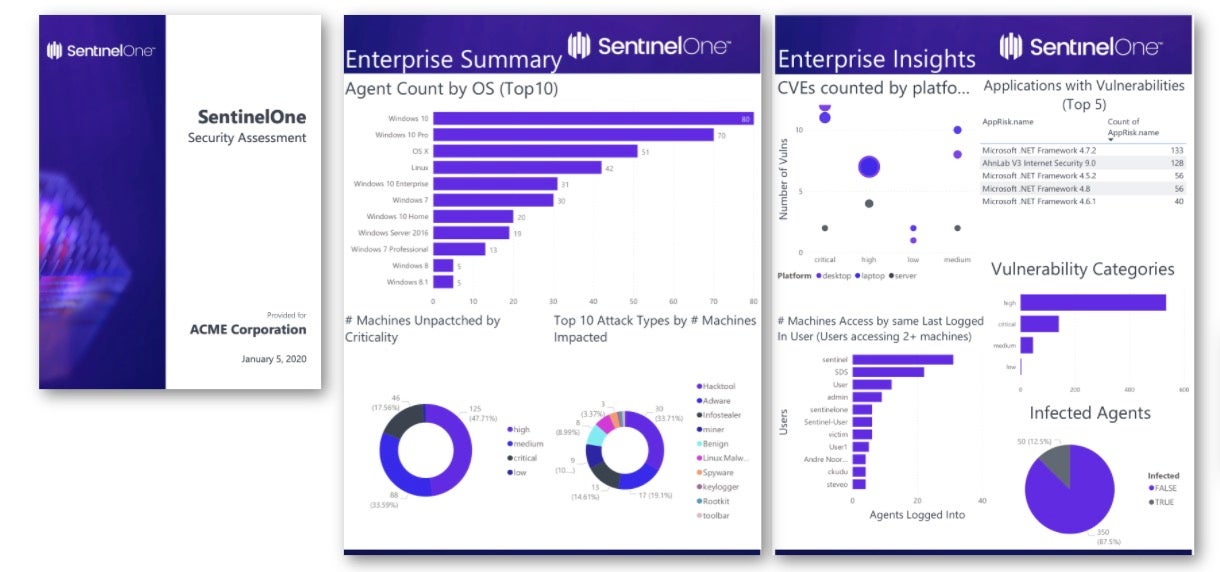
Singularity Endpoint combines endpoint protection, endpoint detection and response, and automated remediation in a single unified agent. Behavioral AI identifies malicious activity from how processes behave rather than from what files look like, which allows detection without constant signature updates and keeps protection active on devices that are offline or air-gapped.
Coverage spans workstations, cloud workloads, and mobile devices across SaaS, on-premises, hybrid, and air-gapped environments. The same agent that protects endpoints also defends the identities behind them, correlating credential theft, privilege escalation, and lateral movement signals with endpoint activity in one console.
Key features include:
- Behavioral AI detection: Malicious activity is identified by process behavior, reducing dependence on signature updates and improving real-time detection accuracy.
- Autonomous containment: Ransomware, zero-day exploits, supply chain attacks, and fileless malware are contained in real time without waiting for analyst action.
- One-click rollback and remediation: Devices can be isolated, malicious processes killed, and changes rolled back to restore systems to a trusted state.
- Identity coverage: Exposure is reduced across Active Directory and cloud identity providers including Entra ID, Okta, Ping, SecureAuth, and Duo, with deception technology and conditional access policies to contain adversaries.
- Mobile threat defense: On-device protection for iOS, Android, and ChromeOS runs without MDM and without connectivity, covering phishing, malware, exploits, continuous app vetting, and network attacks such as rogue Wi-Fi and malicious profiles.
- Unified telemetry: Endpoint, identity, cloud, and third-party telemetry share one data layer and one console.
- Purple AI: A generative AI assistant handles investigation work across the same data layer.
- Wayfinder MDR: An optional managed service provides 24/7 monitoring, investigation, and response.
Limitations (as reported by users on PeerSpot):
- False positives: Reviewers report a high volume of false positive alerts, including on legitimate executables, which drives extra alert handling.
- Dashboard complexity: The dashboard is described as complex for new analysts, particularly as modules such as Purple AI and EDR are added.
- Reporting customization: Dashboard and reporting customization is a recurring request so management can access tailored reports.
- Integration: Integration with other security platforms and third-party tools is named as needing improvement.
- Performance: Some reviewers report the console loading slowly and occasional connectivity and stability issues.
- Threat intelligence depth: Reviewers comparing vendors describe the threat feed as less mature than those of the largest providers.
- Cost: Affordability relative to alternatives is raised as a concern.
Source: SentinelOne
13. Microsoft Defender for Endpoint
Best for: Microsoft-centric estates needing multiplatform EDR
Strengths: Automatic attack disruption, exposure management, Intune ties
Things to consider: Support escalation speed; features gated to P2
Microsoft Defender for Endpoint is a cloud-native endpoint security platform covering Windows, macOS, Linux, Android, iOS, and IoT devices. It combines next-generation antivirus, attack surface reduction, endpoint detection and response, vulnerability management, and advanced hunting, and feeds endpoint signals into the unified Microsoft Defender portal for XDR-level alert correlation.
Licensing splits across two plans. Plan 1 covers anti-malware, attack surface reduction, device control, network protection, endpoint firewall, web and category-based URL blocking, application control, and APIs. Plan 2 adds endpoint detection and response, automatic attack disruption, exposure management, threat analytics, and deep analysis sandboxing.
Key features include:
- Automatic attack disruption: Ransomware attacks are disrupted by blocking lateral movement and remote encryption in a decentralized way across all devices.
- Next-generation antivirus: Microsoft Defender Antivirus provides real-time protection using file and process behavior monitoring and heuristics, plus cloud-delivered protection across Linux, macOS, Windows, and Android.
- Exposure management: Pre-breach and post-breach capabilities help minimize exposure risk and anticipate an attacker's next move.
- Global threat intelligence: Prevention draws on insights from 84 trillion daily signals and 10 thousand experts across 72 countries.
- Network detection and response: A single view covers managed and unmanaged Windows, Linux, macOS, iOS, Android, IoT, and network devices.
- Security Copilot: Built-in, security-specific generative AI supports investigation and response.
- Unified endpoint management: Endpoint security settings are managed in the Defender portal and mirrored in Intune, giving security and IT teams one source of truth.
- Flexible enterprise controls: Granular controls cover settings, policies, web and network access, detections, and automated workflows.
Limitations (as reported by users on PeerSpot):
- Support escalation: Reviewers report Microsoft support treating incidents with less urgency than the customer during a potential breach, and support quality varying with who picks up the case.
- Preview cycles: Updates are described as taking too long to move out of preview, delaying planned work.
- Resource use: Memory issues causing system freezes during scans are reported.
- Analytics gaps: Reviewers note limited behavior analytics for devices and endpoints.
- Integration: Integration with third-party tools and platforms is described as lacking.
- Value perception: Some reviewers question the cost given the information the product surfaces, particularly alongside Intune licensing.
- Developer environments: Visibility into developer and AI coding environments is named as an area needing work.
Source: Microsoft
14. Cortex XDR
Best for: SOCs standardizing endpoint, network, cloud, identity telemetry
Strengths: Prevention modules, root cause analysis, single data lake
Things to consider: Cost; false-positive tuning; OS feature parity
Cortex XDR from Palo Alto Networks pairs endpoint prevention with detection and response over a single data lake. Prevention modules target the techniques used in modern attacks, covering zero-day exploits, fileless malware, and the hijacking of legitimate processes. Analytics connect endpoint, network, cloud, identity, and email data to detect and prioritize attacks regardless of where they start.
Investigation focuses on execution paths. Analysts uncover the execution path behind each alert and run native automation to disrupt an attack, with the Cortex AgentiX Assistant supplying adaptive AI agents that investigate and respond. The same agent extends to endpoint data loss prevention, exposure management, email security, and cloud security on the Cortex Platform.
Key features include:
- Prevention modules: Dedicated modules stop the techniques used in modern attacks, from zero-day exploits and fileless malware to abuse of legitimate processes.
- Root cause analysis: The execution path behind every alert is surfaced so responders can see how an intrusion unfolded.
- Cross-source analytics: Endpoint, network, cloud, identity, and email data are connected and prioritized in one place.
- Native response automation: Automation runs directly from the console to disrupt an attack within minutes of an alert.
- Agentic AI assistant: The Cortex AgentiX Assistant provides a fleet of adaptive AI agents for investigation and response.
- Single data lake: One data lake underpins XDR and provides the foundation for Cortex XSIAM, so telemetry is not duplicated across products.
- Unified agent coverage: One lightweight agent protects endpoints and cloud workloads and extends to NG-SIEM, endpoint DLP, exposure management, email security, and cloud security.
- Unit 42 managed services: Managed detection and response operates natively inside the customer's Cortex XDR tenant, alongside managed threat hunting and incident response.
Limitations (as reported by users on PeerSpot):
- Cost: Pricing is repeatedly described as high, and reviewers suggest smaller organizations may find it prohibitive.
- Licensing changes: Reviewers report features that were previously included later becoming licensed items.
- Operating system parity: Significant functionality gaps are reported between the Windows, Linux, and macOS versions.
- False positives and tuning: The false positive rate is described as high, and fine-tuning detection policy is said to require experience because the policy model is complex.
- Antivirus behavior: Reviewers note the absence of real-time, on-demand antivirus scanning.
- Usability: UI simplicity and playbook flexibility are named as areas that would benefit from more low-code automation options.
Source: Palo Alto Networks
15. Trellix Endpoint Security
Best for: Hybrid and disconnected environments managed from one console
Strengths: Single agent, ePO management, application and change control
Things to consider: Resource use; support responsiveness; policy complexity
Trellix Endpoint Security (ENS) provides multi-layered endpoint protection across on-premises, cloud, and disconnected environments through a single agent managed from a single source. The Trellix Agent delivers EPP, EDR, device control, and forensics, and includes tamper-protection components that prevent services from being stopped or restarted and block inspection or injection into agent processes.
Management runs through ePolicy Orchestrator, one FedRAMP-certified console for deployment, installation, security policy setting, event monitoring and response, and compliance. Administrators keep full control over when software changes and content roll out, and updates can be rolled back if needed.
Key features include:
- Single agent: EPP, EDR, device control, and forensics deploy, uninstall, upgrade, and patch as one agent rather than several.
- ePolicy Orchestrator: A single FedRAMP-certified console handles deployment, installation, policy setting, event monitoring and response, and compliance.
- Attack surface hardening: Device control, application control, allow and deny lists, and host firewall capabilities reduce the attack surface.
- Threat prevention stack: Multi-layered protection uses advanced machine learning, exploit prevention, and heuristics at each point in the attack chain.
- Tamper protection: Multiple components prevent services being stopped or restarted, protect agent processes from inspection and injection, and prevent tampering with services, registry entries, files, and folders.
- Update control and rollback: Administrators decide when to roll out software changes and content, and ePolicy Orchestrator allows updates to be rolled back.
- Storage protection: Network-attached storage devices such as NetApp filers and ICAP storage appliances are monitored continuously to prevent unwanted changes and data theft.
- Related modules: Trellix Endpoint Detection and Response and Trellix Application and Change Control extend the suite for deeper EDR and server lockdown.
Limitations (as reported by users on PeerSpot):
- Resource consumption: High CPU and memory use is reported as affecting client system performance.
- Support responsiveness: Support is described as slow to reply and slow to work through open tickets.
- Policy complexity: Policies and rules are described as complex and time consuming to manage without prior product knowledge.
- Setup effort: Implementation is reported as challenging and dependent on technical expertise.
- Console usability: The portal is described as complicated to handle day to day, and dashboards are named as needing improvement.
- Integration and automation gaps: Reviewers report integration issues and the absence of automated response, plus waits for vendor updates when application compatibility breaks.
Source: Trellix
Conclusion
Endpoint security is no longer limited to antivirus software. Modern organizations need layered protection that prevents malicious code from executing, detects sophisticated attacks that bypass preventive controls, and provides rapid investigation and response across distributed devices. By combining preventive controls, continuous monitoring, centralized policy management, and automated response, endpoint security solutions help reduce the attack surface, improve incident response, protect sensitive data, and maintain consistent security across on-premises, remote, and cloud-connected environments.