What Is Application Control Software?
Application control software is a security solution that restricts which applications, scripts, and executables can run on endpoints or servers, essentially allowing only trusted, authorized software to execute. By enforcing allowlists or blocking malicious code, it helps prevent ransomware and unauthorized software use, acting as a critical, proactive layer alongside traditional endpoint protection.
The core of application control lies in its ability to enforce strict execution policies based on application identity, such as file hash, publisher certificate, or file path. By doing so, it helps organizations gain file-level visibility, control insider and third-party software risk, and help meet or maintain compliance requirements. Unlike traditional endpoint solutions that react to known threats, application control focuses on defining trust before execution, making it a critical component of a defense-in-depth security strategy. Its use is especially important in regulated industries and environments where security and operational integrity are paramount.
Key features and functionality:
- Allowlisting/blocklisting: Defines explicit policies on allowed (or denied) software.
- Privilege management: Applies privilege at the application level without granting broad administrator rights to users.
- Authorization control: Regulates executables, DLLs, scripts, and installers.
- Audit mode: Allows security teams to monitor software usage and block attempts before fully enforcing restrictions.
- Just-in-time access: Temporarily grants permission to use specific applications.
In this article:
Benefits of Application Control Software
Application control software provides organizations with greater control over what can run in their environments. By limiting applications to approved software only, businesses can reduce security risks, improve operational stability, and simplify IT management. It is widely used across industries to strengthen endpoint security and support governance requirements.
- Enhanced security: Application control reduces the attack surface by blocking unauthorized applications from running. This prevents users and attackers from executing unknown or risky software on endpoints and servers.
- Agentic AI control and governance: AI agents can execute commands, access systems, install software, and take actions on behalf of users. Application control helps organizations govern these activities by enforcing approved AI tools, restricting unnecessary capabilities, and controlling what agents are allowed to execute. This supports safer AI adoption while improving visibility and oversight of AI-driven activity.
- Malware protection: By allowing only trusted applications, organizations can stop many types of malware before execution. This includes ransomware, trojans, fileless malware, and other threats that bypass traditional endpoint protection tools.
- Compliance support: Many regulatory frameworks require organizations to control software usage and protect sensitive systems. Application control helps meet compliance requirements for standards such as PCI DSS, HIPAA, NIST, ASD Essential Eight, and ISO 27001.
- Reduced IT overhead: IT teams spend less time responding to malware infections, unauthorized software installations, and troubleshooting unstable systems. Standardized application environments also simplify support and maintenance.
- Improved system stability: Blocking unapproved software reduces application conflicts, crashes, and performance issues. Systems remain more predictable and easier to manage across the organization.
- Control over shadow IT: Employees often use or install unauthorized tools that create security and licensing risks. Application control prevents the use of unapproved applications and helps enforce IT policies consistently.
- Better software licensing management: Organizations can ensure only licensed and approved applications are installed and used. This helps reduce unnecessary software costs and lowers the risk of licensing violations.
- Support for Zero Trust security models: Application control aligns with Zero Trust principles by enforcing strict trust policies for software execution. Only verified and approved applications are allowed to run within the environment.
Key Features of Application Control Software
Application Allowlisting and Blocklisting
Application control software allows administrators to define which applications are permitted or denied from running. Allowlisting restricts execution to approved software only, while blocklisting prevents known unwanted or risky applications from running. These controls help reduce the attack surface and prevent unauthorized software from executing on endpoints and servers.
Policies can be created using file hashes, digital signatures, file paths, publishers, or application reputation data. Some solutions also support dynamic rules that automatically trust approved vendors or software categories. This flexibility allows organizations to maintain security while reducing the administrative burden of managing application policies manually.
Allowlisting is commonly used in high-security environments where only a limited set of applications should run. Blocklisting is often used to prevent specific risky tools, unauthorized remote access software, cryptocurrency miners, or known malware families. Many organizations combine both approaches to achieve stronger control over software execution.
Least Privilege and Elevation Control
Least privilege and elevation control are important capabilities in application control. Some solutions help reduce reliance on local administrator accounts by allowing users to operate with standard permissions for day-to-day activity. When elevated access is required, these solutions may apply privilege selectively through policy rather than granting broad administrator rights to the user. In some cases, approved applications can run with elevated rights while other software remains restricted. Depending on the solution, organizations may also gain visibility, logging, and administrative control over how elevated access is applied.
Execution Visibility and Monitoring
Application control software provides detailed visibility into application activity across the environment. Security and IT teams can monitor which applications are running, which are blocked, and how users interact with software on managed systems. This visibility helps organizations identify unauthorized applications and risky behavior quickly.
Most solutions collect execution logs that include timestamps, usernames, device information, file details, and policy actions. Security teams can use this data to investigate incidents, identify policy gaps, and understand software usage patterns across the organization.
Real-time monitoring capabilities also improve threat detection. Administrators can receive alerts when suspicious applications attempt to run or when policy violations occur. This helps organizations respond faster to malware, insider threats, and unauthorized software installations.
Script and Browser Control
Modern attacks frequently rely on scripts and browser-based content instead of traditional executable files. Application control solutions often include the ability to restrict or monitor PowerShell, JavaScript, VBScript, batch files, macros, and other scripting engines commonly abused by attackers.
Organizations can create policies that allow only approved scripts or restrict script execution to trusted locations and signed content. This reduces the risk of fileless malware, malicious automation, and phishing attacks that rely on script execution to compromise systems.
Some solutions also extend control to browsers and browser extensions. Administrators can block unauthorized plugins, restrict access to risky web applications, and enforce secure browser configurations. These controls help reduce browser-based attack vectors and improve endpoint security.
Workflow Approvals and Exception Handling
Organizations often need structured processes for handling software requests and policy exceptions. Application control software commonly includes approval workflows that allow users to request access to blocked applications or elevated privileges directly from their devices.
IT and security teams can review requests, evaluate risk, and approve or deny access based on organizational policies. Temporary approvals can also be granted for specific users, devices, or time periods. This helps maintain security while minimizing disruptions to productivity.
Exception handling capabilities are especially important in environments with changing business needs. Instead of disabling security controls entirely, organizations can manage exceptions in a controlled and auditable way. Approval records and policy changes are typically logged for compliance and review purposes.
Trusted Installer and Policy Automation
Managing application policies manually can become difficult in large environments. Many application control solutions reduce this burden by automatically trusting software installed through approved deployment systems, software management tools, or verified vendors.
For example, applications deployed through Microsoft Intune, SCCM, Jamf, or other trusted software distribution platforms can automatically receive approval status. This helps organizations maintain strong security controls without slowing down software deployment processes.
Some solutions also include policy learning or audit modes that observe application usage and recommend allowlisting rules automatically. These automation features simplify initial deployment and reduce the amount of manual policy configuration required over time.
Centralized Policy Management
Application control solutions typically provide centralized management consoles that allow administrators to manage policies across all devices from a single location. This simplifies deployment, monitoring, and enforcement across large and distributed environments.
Policies can be assigned based on departments, user groups, locations, operating systems, or device types. Organizations can apply stricter controls to sensitive systems while allowing more flexibility for development or testing environments.
Centralized management also improves consistency. Administrators can quickly update policies, deploy rule changes, and respond to emerging threats without configuring individual devices manually. This reduces operational complexity and improves overall security management.
Reporting and Auditability
Detailed reporting is an important feature of application control software. Solutions generate reports on blocked applications, allowed executions, policy violations, privilege escalations, and software usage across the environment.
These reports help organizations demonstrate compliance with internal security policies and external regulations such as PCI DSS, HIPAA, NIST, ASD Essential Eight, and ISO 27001. Audit logs provide evidence that software controls are actively enforced and monitored.
Reporting capabilities also support operational and security investigations. Teams can identify trends, review historical events, and analyze application activity during incident response efforts. Some solutions include customizable dashboards and scheduled reporting features for ongoing visibility.
Security and IT Workflow Integrations
Application control software often integrates with other security and IT management platforms to improve operational efficiency. Common integrations include SIEM systems, endpoint detection and response (EDR) tools, identity providers, and IT service management systems like ServiceNow.
These integrations help organizations strengthen existing security investments by connecting application control with detection and response workflows. For example, when unauthorized or unknown software is prevented from executing, EDR tools can operate in a cleaner environment with fewer unknown variables, helping teams focus investigations on more meaningful activity.
Integration with IT management tools also simplifies administrative tasks such as software deployment, ticket creation, asset tracking, and policy updates. By connecting application control with existing security and operational processes, organizations can improve visibility, automation, and response capabilities across the environment.
Notable Application Control Software
Dedicated Application Allowlisting Solutions
1. Airlock Digital

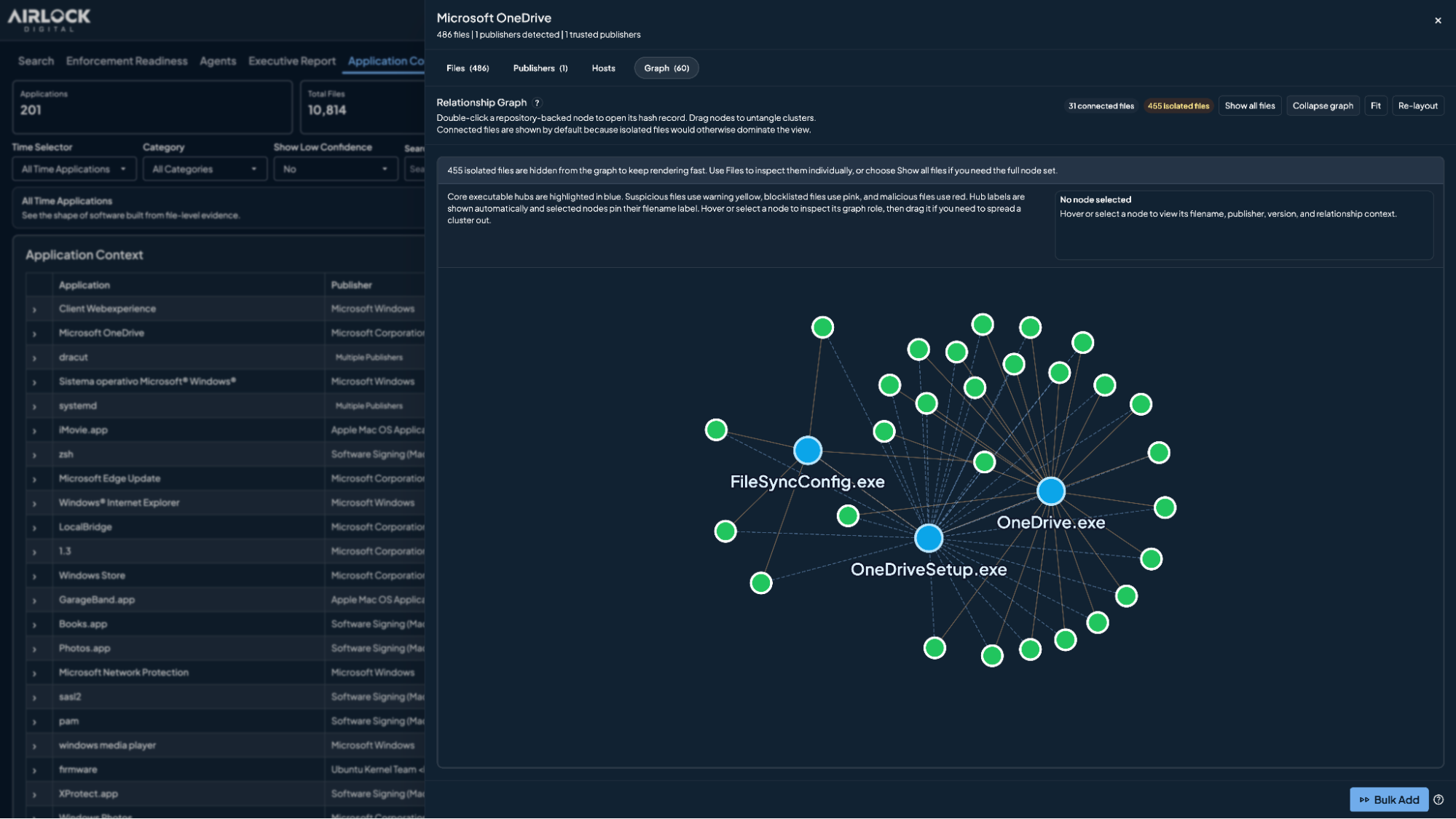
Airlock Digital helps organizations define trusted execution and control what runs across their environment. By operationalizing allowlisting as an ongoing process, Airlock Digital reduces exposure to unauthorized software while supporting predictable enforcement and operational stability.
Key features include:
-
Application allowlisting: Uses a Deny by Default approach to define what software is trusted to run. Airlock Digital enforces file-level control across applications, scripts, libraries, installers, and other executable content to help prevent unauthorized software execution and reduce exposure to malware, ransomware, and unwanted applications.
- Flexible trust policies: Allows administrators to define trust using multiple policy methods, including publisher, paths, file attributes, installers, and parent-child process execution relationships. Organizations can apply application control policies to reflect how software is installed, updated, and used across different teams and environments.
- Application-level visibility: Provides application-level visibility derived from execution data by grouping execution activity into recognizable applications based on runtime behavior. This gives teams a continuously improving view of what is running in their environment without relying on predefined application lists or vendor-maintained catalogs.
- Guided policy building and troubleshooting: Includes guided, pattern-based policy recommendations to help teams build and maintain policies more efficiently. Airlock Digital also provides execution-aware context that helps administrators understand why software was allowed or blocked, test policy changes, and troubleshoot issues with less manual effort.
- Application-level privilege elevation and policy-scoped administration: Allows specific applications to run with elevated rights based on policy conditions rather than granting administrative access to users. Policy-Scoped Access Control also supports role-based policy separation so teams can manage only the policies they are responsible for within a shared environment.
Learn more about Airlock Digital
2. ThreatLocker
ThreatLocker is a zero trust application control platform that helps organizations prevent unauthorized software from running across endpoints, servers, cloud environments, and networks. The platform uses a deny-by-default security model, meaning only approved applications are allowed to execute while everything else is automatically blocked.
Key features include:
-
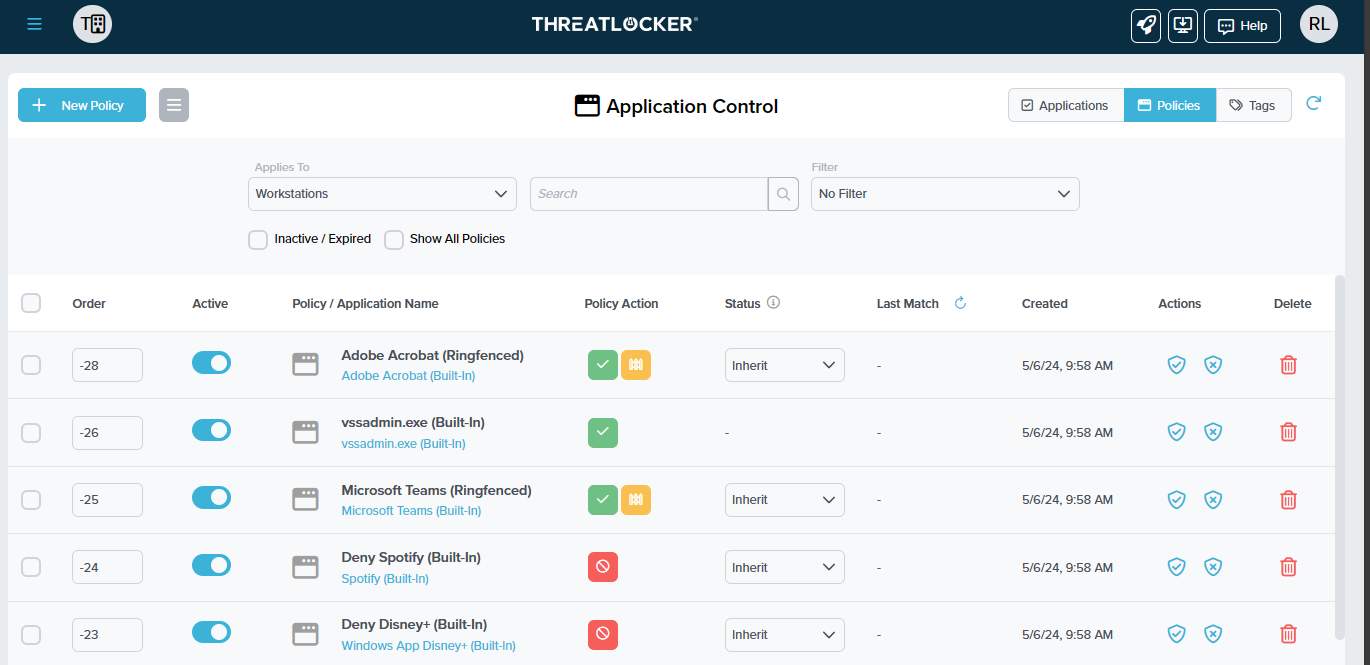
Application allowlisting: Uses a deny-by-default model where only approved applications, scripts, and libraries are allowed to run. Any unapproved software is automatically blocked, helping prevent ransomware, malware, and unauthorized installations.
-
Granular application control: Provides control over what applications can run, when they can run, where they can run, and which users are allowed to execute them. Policies can be customized for departments, devices, or specific operational requirements.
-
Ringfencing: Restricts what approved applications are allowed to do after execution. Organizations can limit actions such as accessing files, launching child processes, or interacting with sensitive resources to reduce attack paths.
-
Zero Trust Network Access (ZTNA): Secures access to internal systems and services by verifying connections continuously. Unauthorized devices or users are prevented from accessing protected resources even if credentials are compromised.
-
Zero trust cloud access: Extends zero trust controls to cloud environments by validating device trust and access conditions before allowing connections to cloud applications and services.
Source: ThreatLocker
3. Broadcom Carbon Black App Control

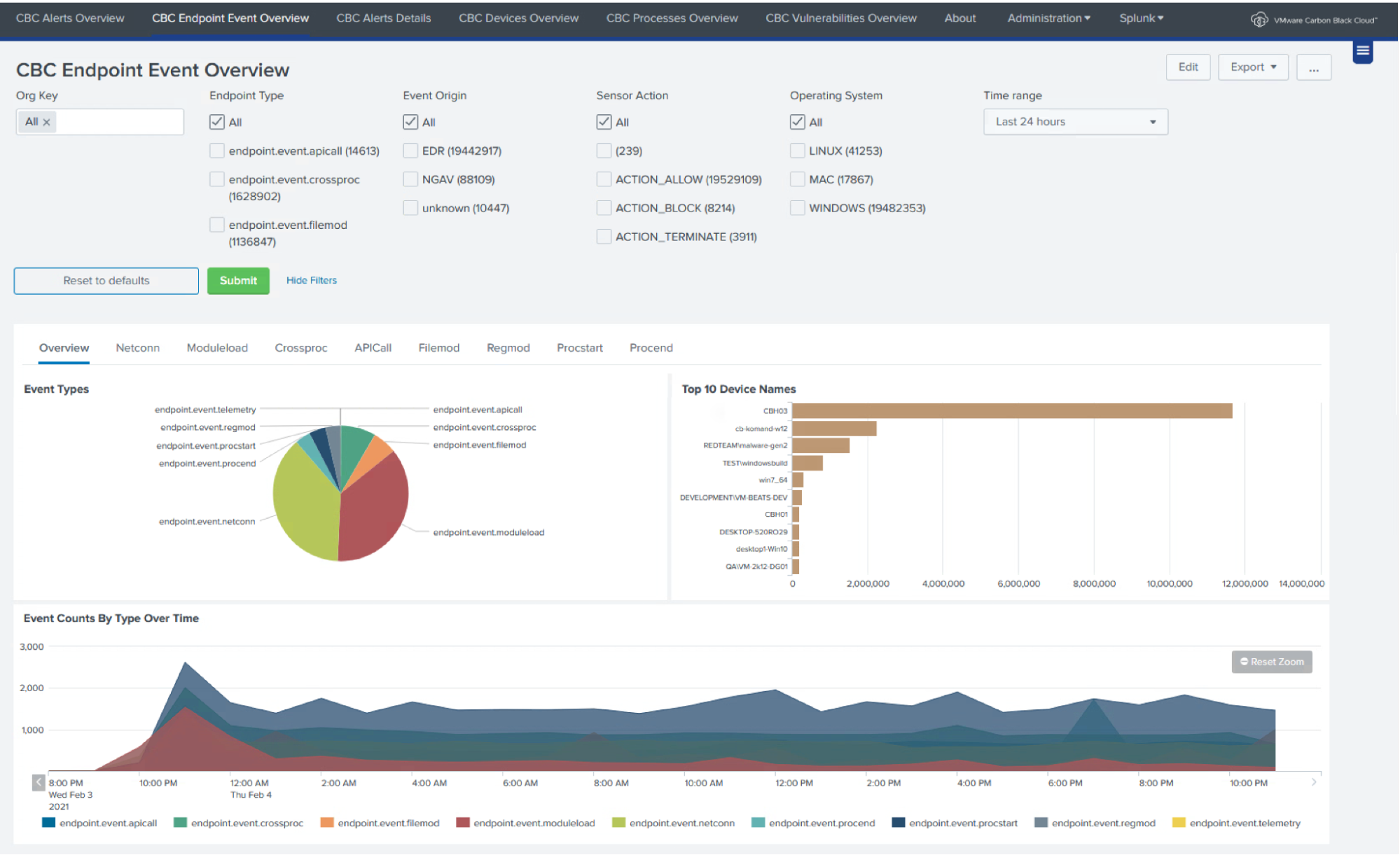
Broadcom Carbon Black App Control is an application control and system lockdown solution to ensure that only trusted and approved software can run on endpoints and critical systems. The platform uses a positive security model, also known as a default-deny approach, where unknown or unauthorized applications are blocked automatically.
Key features include:
- Positive security model: Uses a default-deny approach that allows only trusted and approved applications to execute. Any unknown or unauthorized software is blocked automatically, helping prevent malware, ransomware, and unauthorized changes.
- Application control and allowlisting: Restricts execution to approved software based on trusted sources, publisher reputation, custom rules, and policy-driven approvals rather than relying solely on traditional signature-based detection.
- Flexible deployment options: Supports deployment across on-premises environments, AWS, Microsoft Azure, Google Cloud, and hosted private clouds, allowing organizations to apply consistent application control policies.
- Trusted content approval mechanisms: Provides multiple methods for approving software, including IT-managed trust, cloud-driven trust, trusted publishers, custom approval rules, and external validation sources.
- Protection for legacy and end-of-life systems: Secures older operating systems such as Windows XP and legacy Windows Server versions that may no longer receive vendor security updates but remain operational in critical environments.
Source: Carbon Black
Endpoint / OS-Integrated Application Control Platforms
4. Microsoft AppLocker
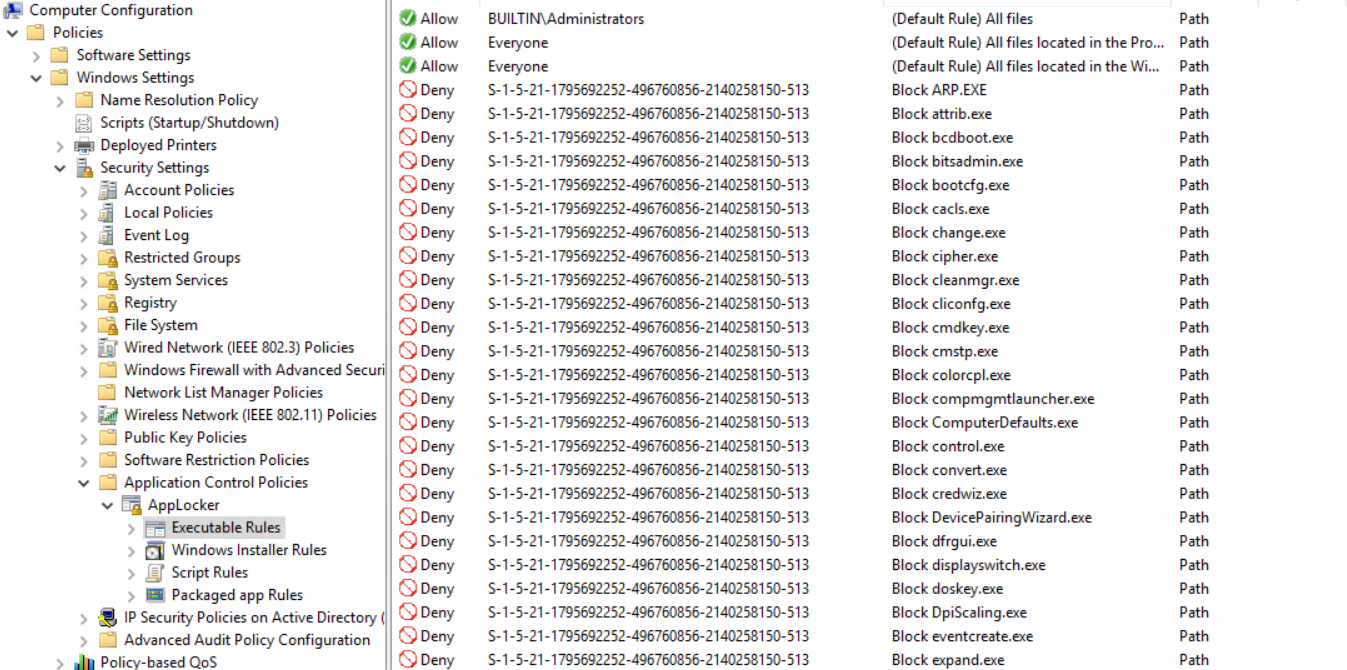
AppLocker is a built-in Windows application control solution that helps organizations restrict which applications, scripts, DLLs, and executable files users are allowed to run. Managed through Group Policy and Windows PowerShell, AppLocker uses allowlisting rules based on file attributes such as publisher, file path, file hash, and version information to control software execution.
Key features include:
- Application allowlisting: Restricts application execution to approved software only. Applications, scripts, DLLs, installers, and executables that are not explicitly allowed can be blocked automatically.
- Rules based on file attributes: Allows administrators to create rules using attributes such as publisher name, product name, file name, file version, file path, and file hash. Rules can persist across application updates when publisher-based criteria are used.
- Publisher-based rules: Supports trusted publisher rules derived from digital signatures, allowing organizations to trust software from approved vendors without manually updating rules for every application version.
- Path-based rules: Enables application control policies based on file or folder locations, allowing software execution only from approved directories or system paths.
- Hash-based rules: Uses file hashes to identify and control specific application files. This approach provides strict control over exactly which executable versions are allowed to run.
Source: Microsoft App Locker
5. Trellix Application and Change Control

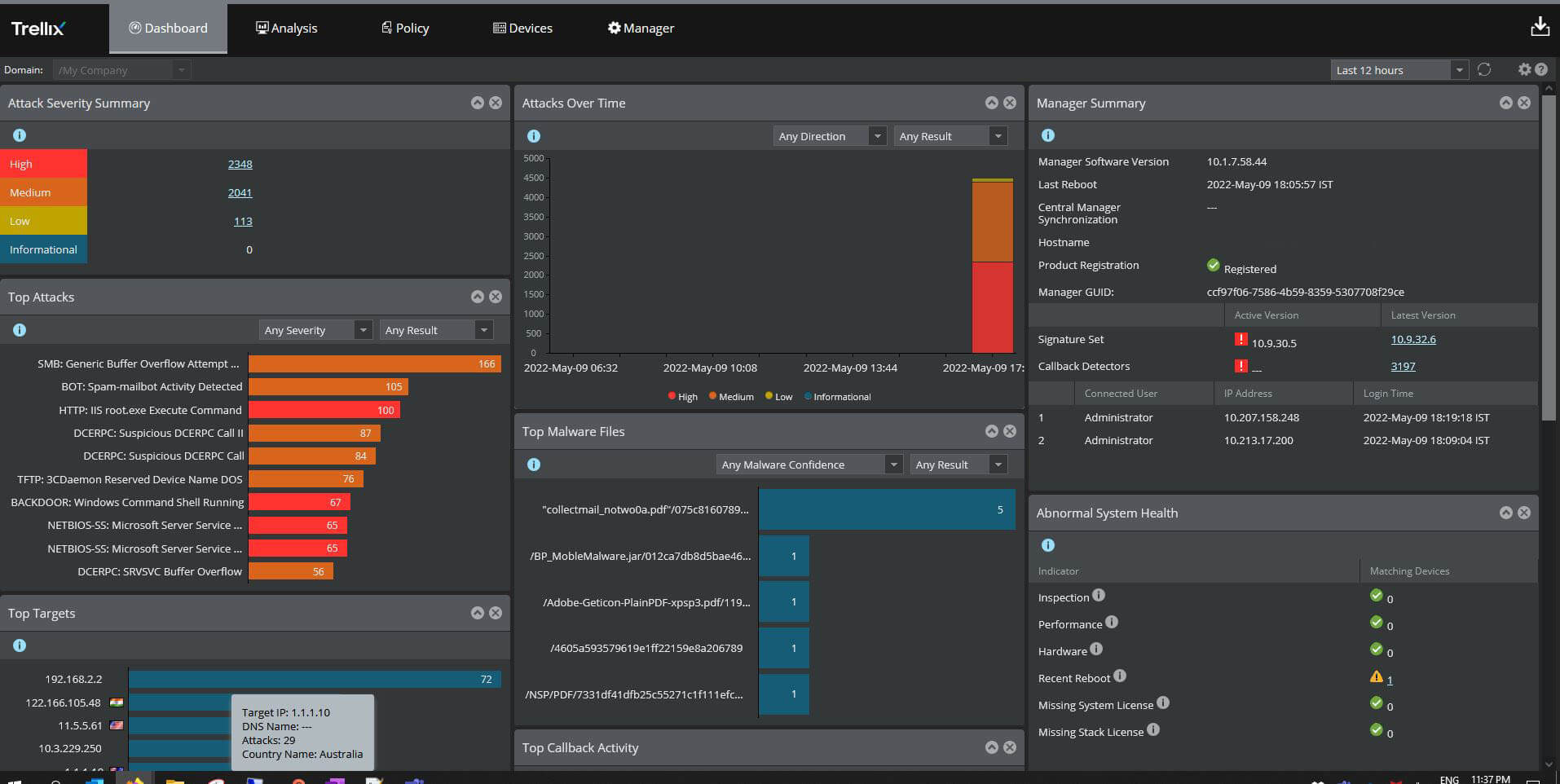
Trellix Application and Change Control is an endpoint and server security solution that helps prevent unauthorized software execution, system tampering, and unapproved configuration changes. The platform combines application allowlisting, change prevention, file integrity monitoring, and reputation-based threat intelligence to help organizations protect endpoints, servers, virtual machines, and fixed-function systems such as point-of-sale devices.
Key features include:
- Application allowlisting: Restricts software execution to trusted and approved applications only. The platform classifies executables, DLLs, drivers, and scripts as known-good, known-bad, or unknown to prevent unauthorized software from running.
- Reputation-based execution control: Uses Trellix Global Threat Intelligence and Trellix Threat Intelligence Exchange to evaluate file reputation using global and local threat intelligence data, helping organizations identify malicious or suspicious applications in real time.
- Multiple allowlisting enforcement modes: Supports different application control strategies, including default deny policies, reputation-based execution control, and sandbox verification for unknown applications.
- Dynamic allowlisting: Automatically updates allowlists when software is installed through trusted channels, helping reduce administrative overhead and minimize disruption to business operations.
- Trusted updater and dynamic trust model: Allows approved users, processes, certificates, directories, and update mechanisms to install or modify software without requiring manual allowlist changes.
 Source: Trellix
6. ManageEngine Application Control

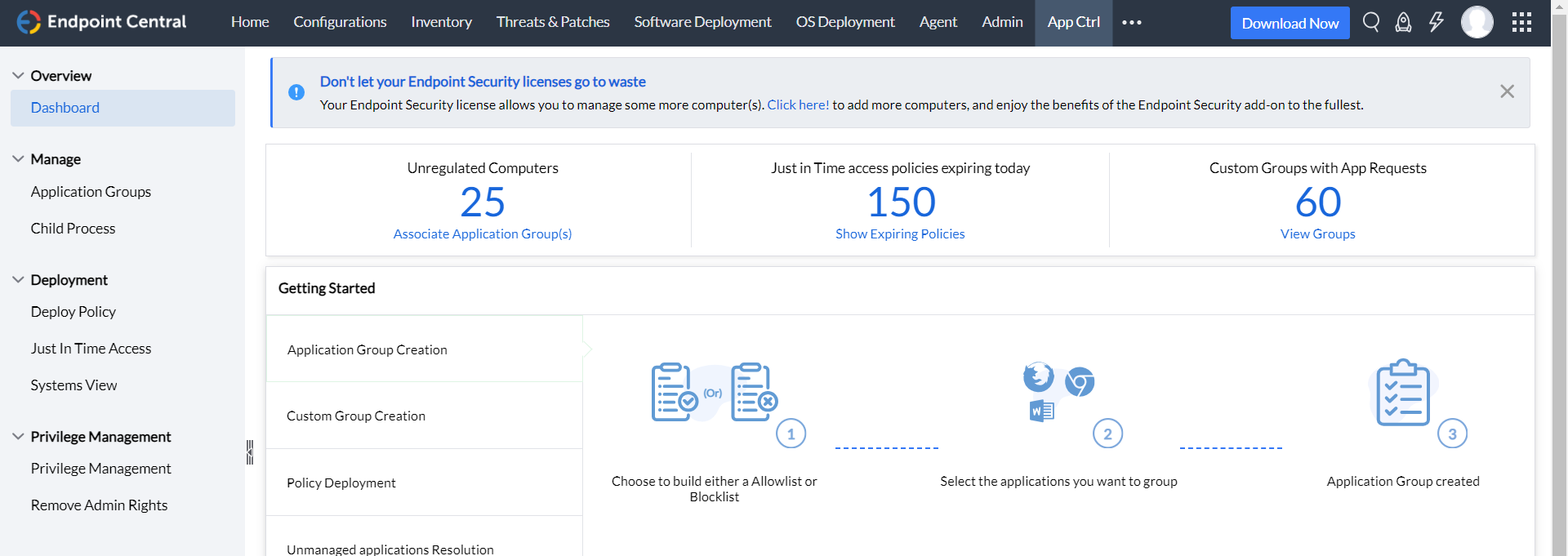
ManageEngine Application Control is an endpoint security and privilege management solution that helps control application execution and administrative access across organizational endpoints. The platform combines application allowlisting, blocklisting, just-in-time access controls, and endpoint privilege management to reduce unauthorized software execution and excessive admin privileges.
Key features include:
- Application allowlisting and blocklisting: Allows organizations to define trusted applications that are permitted to run while blocking unauthorized, risky, or unapproved software from executing on endpoints.
- Application control policies: Enforces policies that regulate which applications users can execute, helping reduce the risk of malware, shadow IT, and unauthorized software installations.
- Audit mode for unauthorized applications: Provides visibility into unmanaged or unauthorized application executions before enforcement is enabled, allowing administrators to evaluate policy impact and refine rules.
- Block event monitoring: Tracks blocked application execution attempts and unauthorized software activity to help administrators monitor security incidents and policy violations.
- Just-in-time application access: Grants temporary permission for users to run specific applications only when needed, with access automatically revoked after the approved time period expires.
 Source: ManageEngine Application Control
Conclusion
Application control software is important for preventing unauthorized applications from executing before they can compromise systems. By combining allowlisting, privilege management, monitoring, policy automation, and centralized administration, these platforms help organizations reduce attack surfaces, improve compliance, and strengthen endpoint security. As ransomware, fileless attacks, and unauthorized software usage continue to challenge organizations, application control remains one of the most effective preventive security measures available for protecting endpoints, servers, and critical business systems.