Support for approved deployment workflows, extended browser and cloud controls, and a new navigation experience for the console.
Airlock Digital v7.0.1 reduces the administrative effort behind everyday application control. The release introduces Trusted Installer workflows for complex Windows deployment chains, closes browser extension enforcement gaps, extends Cloud Security groups to macOS, and introduces a faster way to navigate the Airlock Digital Console.
The release also makes REST API behavior more consistent and improves reporting, search, policy testing, enforcement agents, notifications, startup, and upgrades. It builds on Version 7.0's policy-scoped access controls while sharpening the workflows administrators use most.
Approve Complex Deployment Chains with Trusted Installer
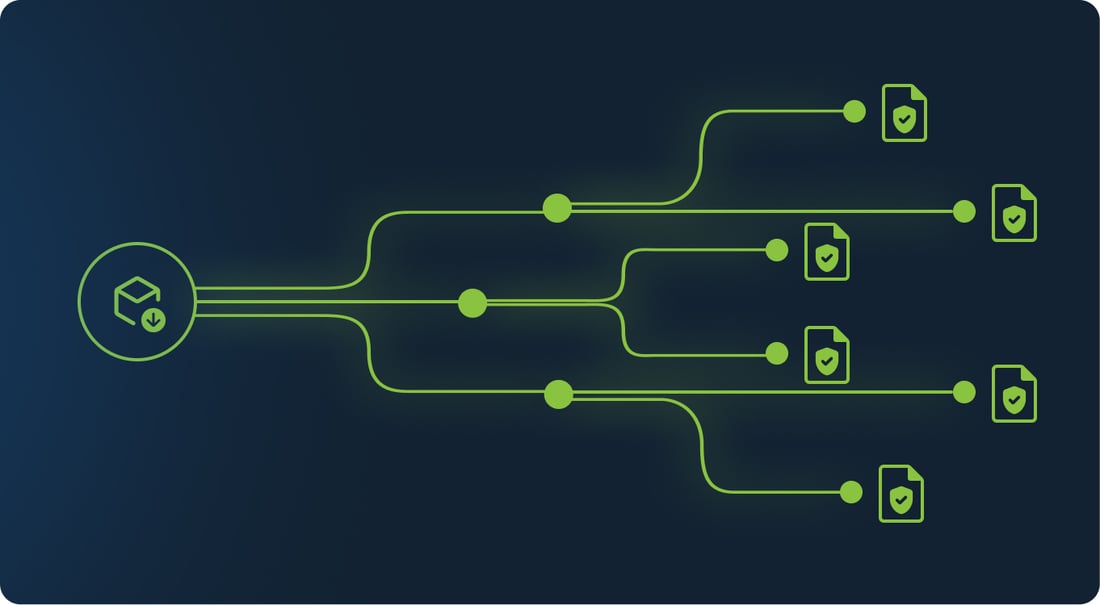
Enterprise installers rarely run as a single process. A deployment tool may start child processes, call supporting utilities, create files, or hand work to Windows Installer. Without a trusted chain, administrators can end up reviewing each generated component even when they have already approved the deployment source.
Airlock Digital-native Trusted Installer rules now support Windows. Administrators define an approved process in policy, constrain it with an explicit path and optional publisher, and choose how trust flows. Direct inheritance limits trust to files created by the approved process. Chained inheritance can extend trust through configured descendant processes, including handoffs to Windows Installer for MSI-based installations. Administrators can configure rules in the Console or automate them through REST API endpoints.
Files created through an approved workflow receive a persistent trust claim that remains after the installer exits. This supports deployment platforms and package managers without turning every installer into a blanket exception.
Close Browser Extension Gaps
Chrome and Edge extensions do not always arrive through a direct install. Profile synchronization and profile changes can introduce them after the initial browser setup.
Browser Extension Control now detects and enforces extensions introduced through those paths, including profile swaps. On macOS, restored and improved block notifications tell users when Airlock Digital stops an extension. Enforcement stays consistent whether an extension arrives directly or follows a user's profile.
Apply Cloud Security Groups on macOS
Cloud Security Groups now support macOS, extending group-driven policy workflows to Mac endpoints. Administrators can use cloud-managed group relationships to apply the right controls instead of relying only on static endpoint configuration.
The REST API also makes Cloud Security Group automation more predictable. It now handles readback, validation, assignments, and self-service settings more consistently with the console. Airlock Digital also clears self-service group settings when an administrator disables self-service or selects a mode that does not use domain groups.

A Faster Way to Navigate
A new left navigation and global top bar replace the primary top navigation. Administrators can expand or collapse the menu, and the Console remembers their choice. Tooltips preserve context in the collapsed view, while page titles and breadcrumbs make the current location clear.
The new structure shortens the path between policies, reporting, search, the file repository, and other operational areas. It also gives Airlock Digital room to add capabilities without crowding the top of the Console.

Strengthen Day-to-Day Operations
Airlock Digital 7.0.1 also includes improvements across the day-to-day workflows administrators rely on:
• REST API calls now return clearer validation and error behavior, handle duplicates more predictably, and align better with updated documentation and testing assets.
• Reporting, search, exports, and policy workflows produce more accurate results, while Policy Tester runs faster.
• Agent, startup, and upgrade improvements strengthen reliability across Windows, macOS, and mixed environments.
• Dependency hardening and maintenance updates improve security, stability, and usability across console, servers, and agent components.
See Airlock Digital v7.0.1 in Action
Watch this short overview of the key improvements in v7.0.1, including Trusted Installer workflows, enhanced browser extension control, Cloud Security Groups on macOS, and the new Console navigation.
Less Friction, Same Control
Airlock Digital v7.0.1 focuses on practical administration. It lets teams trust approved deployment paths instead of chasing every generated file, enforce browser extensions however they arrive, apply Cloud Security Groups on macOS, and find console controls faster. Improvements to the API, agents, reporting, security, and upgrades reduce the operational noise around those workflows.
To learn how Airlock Digital helps protect endpoints from ransomware, malware, and unauthorized execution, contact the Airlock Digital team. Current customers can visit the Customer Portal for upgrade information and release resources.