What Is Jamf MDM?
Jamf MDM is a specialized Mobile Device Management platform built exclusively to configure, manage, and secure Apple devices like Macs, iPhones, iPads, and Apple TVs. It enables IT administrators to automate device setup, enforce security policies, distribute applications, and maintain compliance across a fleet of Apple hardware. Jamf MDM simplifies the process of configuring and updating devices, reducing manual intervention and ensuring consistency throughout the organization.
Key features:
- Automated device enrollment: Provision Apple devices through zero-touch deployment so users receive managed settings, apps, and policies during initial setup.
- Device configuration: Centrally deploy Wi-Fi, VPN, email, restrictions, and other configuration profiles across managed Apple devices.
- Application management: Remotely distribute, update, and manage App Store or custom applications across your entire fleet.
- Security and compliance: Enforce complex passwords, perform remote lock and wipe commands, and maintain compliance with industry standards.
- Inventory and reporting: Collect hardware, software, application, and compliance data to support asset tracking, audits, and device lifecycle management.
- Remote management: Send remote commands to lock, wipe, restart, update, configure, or otherwise manage devices without physical access.
In this article:
Key Jamf MDM Solutions Features
1. Automated Device Enrollment
Automated device enrollment in Jamf MDM allows organizations to provision devices straight out of the box, eliminating manual setup steps for IT teams and end users. When a new Apple device is turned on, it:
- Automatically connects to Jamf
- Receives pre-configured settings
- Enrolls in the organization’s management environment
This process ensures that each device is ready for use with minimal user intervention, reducing deployment time and potential errors. By leveraging Apple’s Automated Device Enrollment program, Jamf MDM ensures devices are supervised and managed from the start, providing greater control over system settings and security features. This automation is particularly valuable for scaling deployments in large organizations, where hundreds or thousands of devices need to be configured consistently and securely across different locations.
2. Device Configuration
Device configuration in Jamf MDM gives IT administrators the ability to centrally manage settings and restrictions on all managed devices. This includes Wi-Fi configurations, VPN profiles, email accounts, and security policies, which can be deployed automatically based on:
- Device type
- User role
- Organizational unit
Centralized configuration ensures consistency and compliance with corporate standards, regardless of where devices are used. With Jamf, configuration profiles can be updated or revoked remotely, allowing organizations to adapt quickly to new requirements or security threats. This flexibility enables IT teams to maintain control over device behavior, reduce support calls, and ensure users have access to the resources they need without compromising organizational security.
3. Application Management
Jamf MDM simplifies application management by allowing IT teams to remotely deploy, update, and remove apps across all managed devices. Administrators can:
- Push required applications directly to user devices
- Ensure they remain up to date
- Revoke access when necessary
This central control reduces the risk of users installing unauthorized software and helps maintain compliance with licensing agreements. The platform supports both App Store and custom enterprise apps, providing flexibility for organizations with unique software needs. With features like app allowlisting, denylisting, and silent installation, Jamf MDM helps organizations maintain a secure and productive application ecosystem without relying on user action or manual installations.
4. Security and Compliance
Security and compliance are core components of Jamf MDM, enabling organizations to enforce device encryption, passcode policies, and security restrictions at scale. Administrators can:
- Require secure authentication
- Restrict device features like camera or AirDrop
- Remotely lock or wipe devices in case of loss or theft
These controls help organizations protect sensitive data and comply with industry regulations. Jamf MDM provides real-time monitoring and automated remediation for compliance violations, such as jailbreaking or the installation of unauthorized apps. By integrating with security information and event management (SIEM) systems, Jamf enables organizations to respond quickly to incidents and maintain a strong security posture across their Apple device fleet.
Related content: Read our article about ransomware protection
5. Inventory and Reporting
Jamf MDM includes robust inventory and reporting tools that give IT teams visibility into every managed device. The platform collects detailed hardware, software, and usage data, allowing administrators to track:
- Device status
- Installed applications
- Compliance with organizational policies
Customizable reports provide insights for audits, asset management, and strategic planning. Regular inventory updates help organizations identify outdated hardware, unused licenses, or non-compliant devices. Automated reporting capabilities enable IT teams to generate and distribute reports to stakeholders, ensuring transparency and supporting data-driven decision-making for device lifecycle management.
6. Remote Management
Remote management features in Jamf MDM empower administrators to support users and troubleshoot issues without physical access to devices. IT teams can send commands to:
- Lock, wipe, or restart devices
- Push configuration changes
- Deploy software updates from a central console
This capability reduces downtime and supports remote or distributed workforces. By enabling remote troubleshooting, Jamf MDM reduces the need for in-person IT intervention and accelerates resolution of technical issues. The ability to manage devices from anywhere is especially valuable for organizations with geographically dispersed users or hybrid work environments, ensuring consistent support and security regardless of location.
Jamf MDM Software Products
Jamf Pro
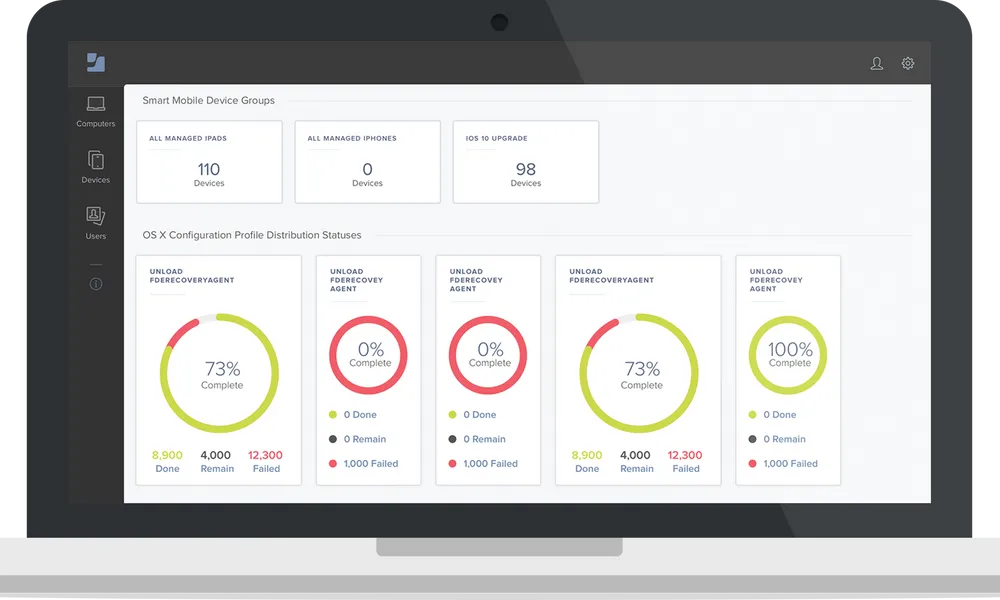
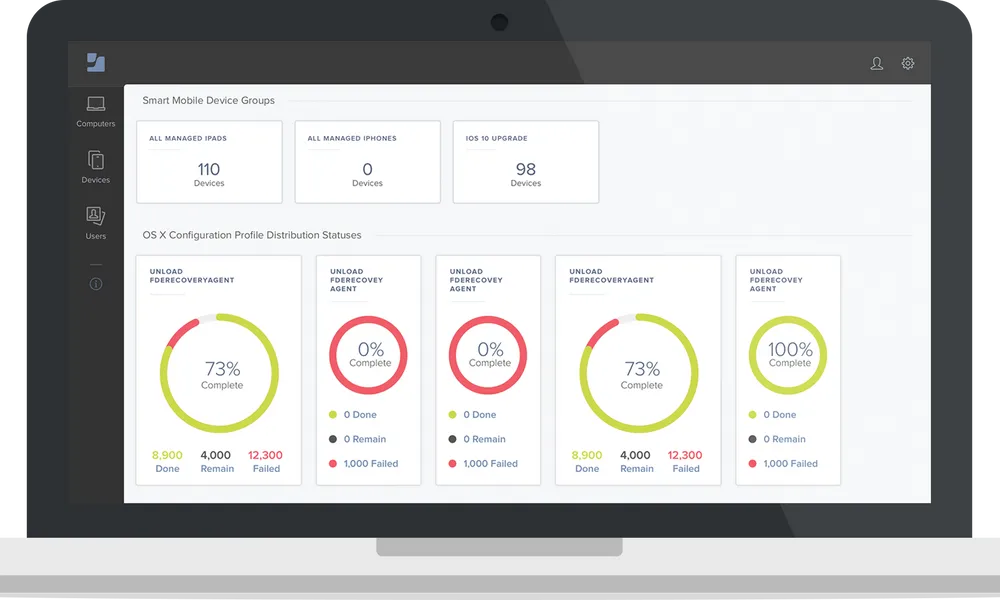
Jamf Pro is Jamf’s enterprise-grade Apple device management platform, designed for organizations that need comprehensive control over large and complex Apple environments. It enables IT teams to deploy and manage Macs, iPhones, iPads, and Apple TVs from anywhere, using capabilities such as zero-touch deployment, dynamic Smart Groups, Blueprints, and automated inventory collection. Administrators can also use policies and scripts to customize devices beyond standard configuration profiles and automate repetitive management workflows.
The platform combines device management with security and application lifecycle capabilities. IT teams can automatically distribute and update applications, apply security baselines, issue remote security commands, and give users access to approved software and device maintenance tools through Self Service+. Jamf Pro also integrates with platforms such as Microsoft, Google and Okta, making it suitable for businesses, higher-education institutions and other organizations that need Apple management to work alongside their existing infrastructure.
Source: Jamf
Jamf Now
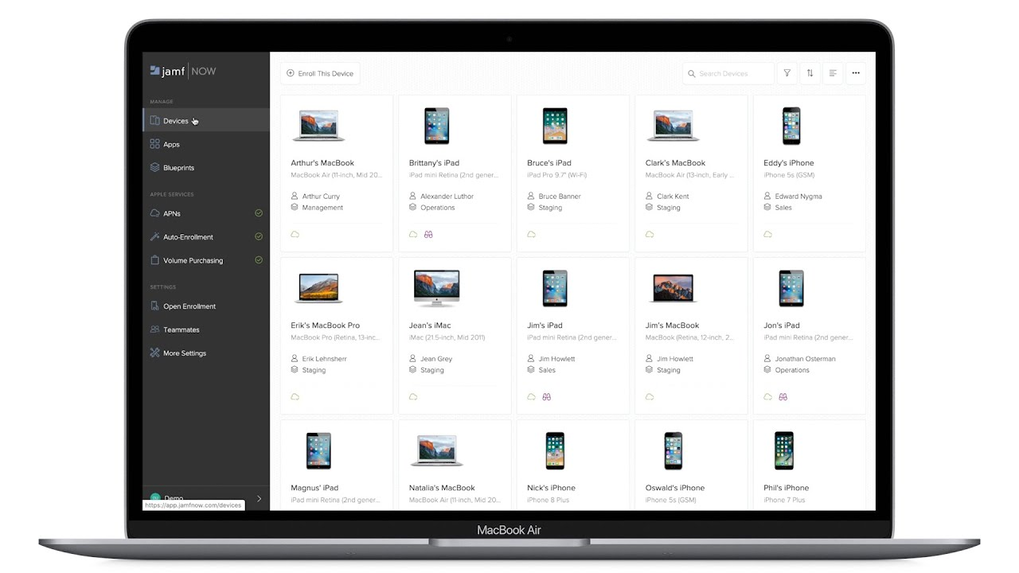
Jamf Now is a cloud-based Apple device management solution for small and growing businesses that need straightforward MDM without the complexity of an enterprise management platform. It allows organizations to quickly set up, manage and secure Macs, iPhones, iPads and Apple TVs. Features such as zero-touch deployment and Blueprints let administrators centrally deploy applications, configure email accounts, apply settings and restrictions, and prepare devices for employees with minimal manual setup.
Jamf Now also provides day-to-day management and security capabilities, including device inventory, operating system updates, custom application and profile deployment, Self Service, passcode requirements, FileVault disk encryption and remote locking of lost or stolen devices. Additional protections include malware prevention and web protection, giving smaller organizations a simplified way to maintain secure and consistent Apple devices.
Source: Jamf

Jamf School
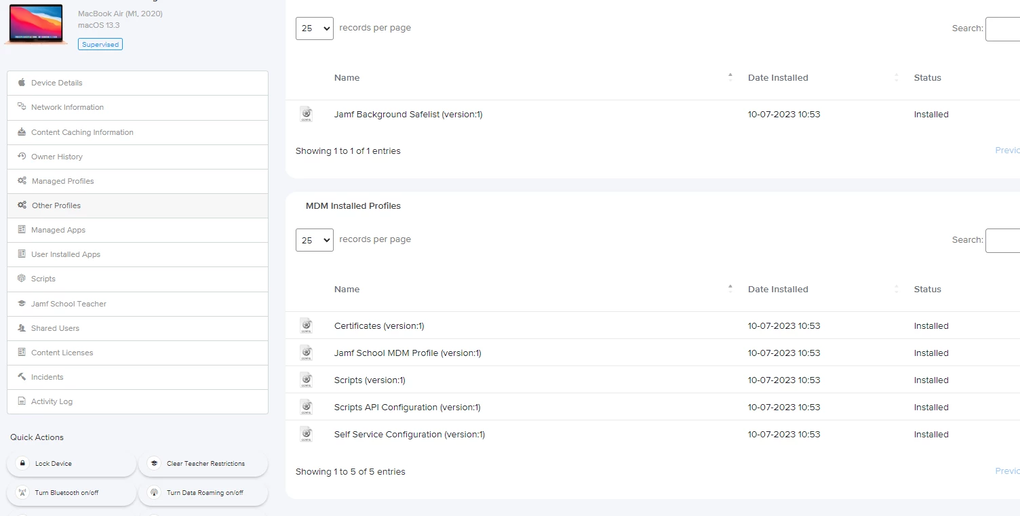
Jamf School is an Apple mobile device management solution for K-12 education. It gives school IT teams centralized control over Apple devices while providing teachers and students with tools designed specifically for classroom environments. The platform supports automated enrollment and zero-touch deployment, application management, role-based administration and dynamic Smart Groups, helping schools configure devices and provide students with reliable access to learning resources wherever they are working.
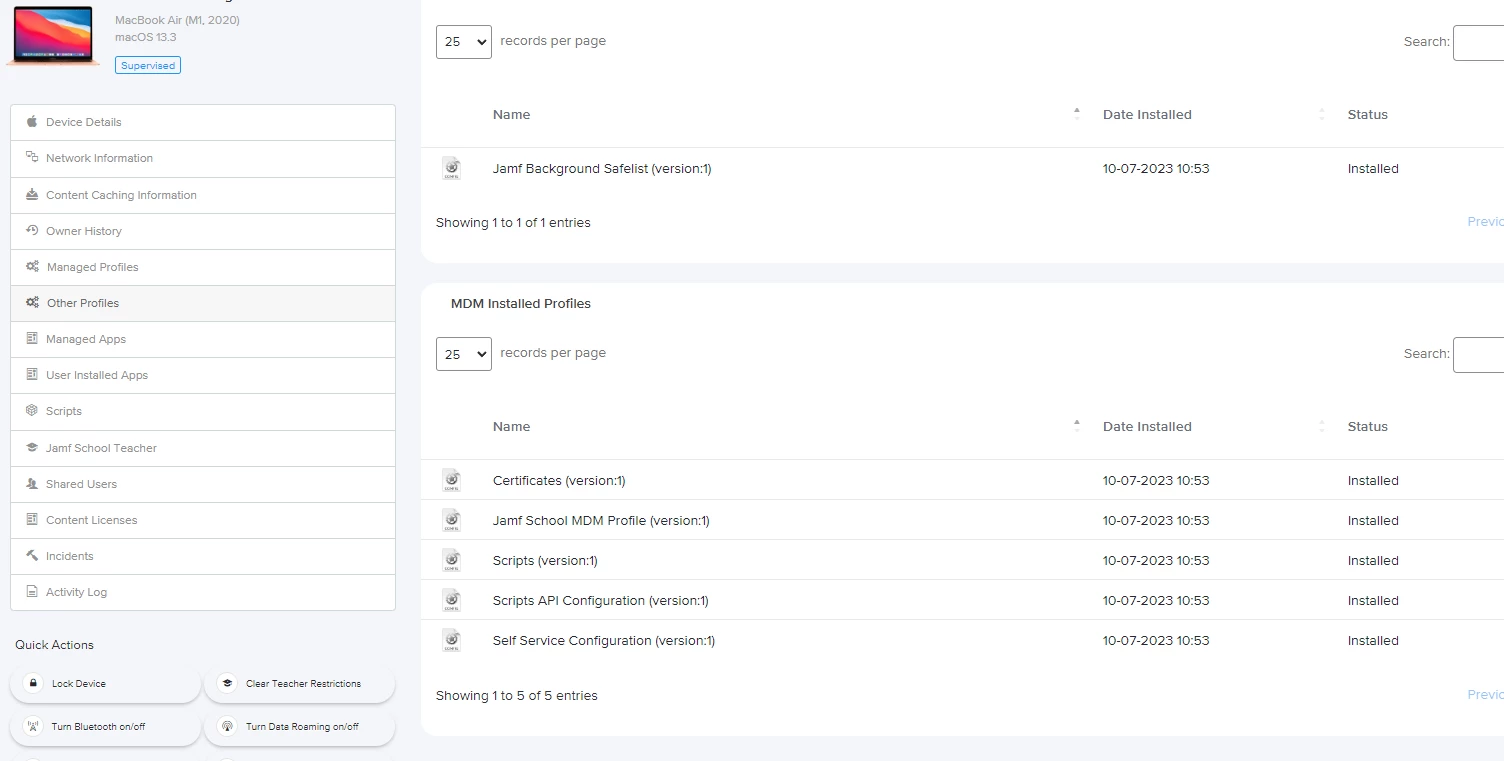
Beyond core device management, Jamf School includes classroom-focused capabilities that help educators guide how devices are used during lessons. Teachers can manage student devices and focus attention through classroom controls. Jamf Teacher provides classroom management tools, Jamf Student gives students controlled permissions, Jamf Parent provides parents with device-management controls, and Jamf Assessment supports remote exam proctoring.
Source: Jamf
Jamf MDM Use Cases
Enterprise Apple Device Management
Enterprises use Jamf MDM to deploy, secure, and manage large fleets of Apple devices for their workforce. The platform automates device setup, enforces security policies, and ensures applications are available and up to date for all users. This centralized control:
- Reduces IT workload
- Minimizes support requests
- Maintains a consistent user experience across all company-owned devices
In highly regulated industries, Jamf MDM helps organizations meet compliance requirements by enforcing encryption, monitoring device health, and generating audit-ready reports. Integration with existing IT infrastructure allows enterprises to scale management as their Apple deployment grows, while maintaining control over sensitive data and ensuring business continuity.
Education and School Device Management
Schools and districts leverage Jamf MDM to manage student and faculty devices, simplify classroom workflows, and maintain digital safety. The solution automates device enrollment for students, pushes learning apps and resources, and applies restrictions to keep devices focused on educational use. Teachers gain tools to:
- Guide student activity
- Monitor progress
- Support learning in both 1:1 and shared device environments
Jamf MDM supports compliance with privacy regulations and helps schools quickly adapt to remote or hybrid learning scenarios. Its reporting features provide visibility into device usage and security, enabling IT teams and administrators to make informed decisions about technology investments and classroom strategies.
BYOD Management
Jamf MDM addresses the challenges of bring-your-own-device (BYOD) programs by enabling organizations to manage and secure personal Apple devices without infringing on user privacy. IT can deploy work-specific configurations, apps, and security settings to employee-owned devices, while keeping personal data and usage separate. This ensures organizational resources remain protected without requiring full control over the device.
BYOD support in Jamf MDM allows companies to:
- Offer flexible work options
- Reduce hardware costs
- Maintain compliance with internal policies
The platform’s selective management features help organizations adapt to diverse device landscapes while maintaining a secure and productive environment for all users.
Shared Device Management
Shared device management is essential in environments where multiple users access the same Apple device, such as hospitals, retail, or classrooms. Jamf MDM enables organizations to:
- Create user profiles
- Enforce role-based restrictions
- Reset devices between sessions to protect user data and privacy
This ensures that each user has access to the resources they need while maintaining security and compliance. By automating device preparation and cleanup, Jamf MDM reduces the burden on IT staff and ensures devices are always ready for the next user. This approach is particularly useful in settings where devices must be rapidly redeployed or used by different people throughout the day, maintaining operational efficiency and minimizing risk.
Extending Jamf MDM With Execution Control From Airlock Digital
Jamf gives IT teams best-in-class deployment workflows for Apple devices, but MDM policies alone do not decide which files are actually allowed to launch on a managed Mac. Airlock Digital addresses the execution and usage of non-compliant applications, scripts and extensions by enforcing a Deny by Default approach to file execution. Using the native integration from Airlock Digital, administrators can deploy trusted software through Jamf, and automatically block everything else. When software is deployed via Jamf, the Trusted Installer feature identifies the installation source and approves the associated files for execution, so administrators retain full control and visibility without adding friction to deployment processes.
Key capabilities of the Airlock Digital + Jamf integration:
- Deny by Default application control: Run only known and verified software, significantly reducing an endpoint's attack surface.
- Automatic trust for Jamf-delivered apps: Automate the trusted deployment of applications via Jamf, streamlining policy enforcement across managed macOS endpoints.
- Shadow IT and LOLbin blocking: Prevent unapproved or rogue applications, scripts and browser extensions from running, reducing the risk of security incidents.
- Enhanced visibility and auditability: Execution events are logged centrally, giving clear insight into what's running and why.
- Compliance support: Consistent execution policies are enforced across all managed endpoints to support regulatory and audit requirements.
- Reduced toll on security operations: Cut down on time spent triaging alerts, remediating compromised machines and responding to unauthorized software-related incidents.
- Frictionless user experience: Transparent enforcement and automated policies uphold security without sacrificing speed, usability or operational agility.
Learn more about the Airlock Digital and Jamf integration and see how easily you can secure your macOS endpoints with allowlisting and blocklisting.